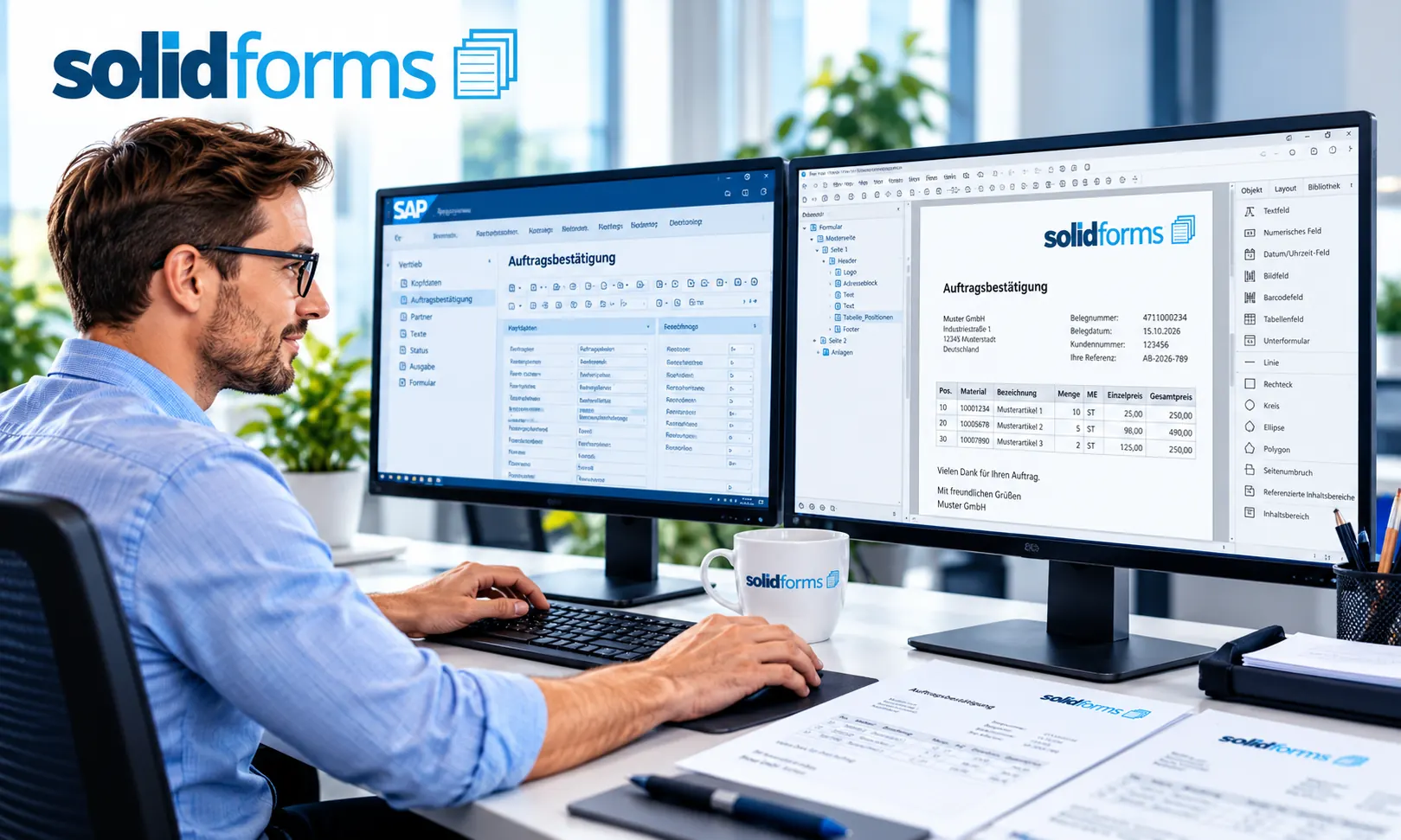
Migrating to Adobe Forms is usually a matter of debate, if you are an SAP user for several years. Because then, a fundamental redesign of the existing forms is often the order of the day. There are multiple reasons for that:
In the SAP implementation phase, the development of forms was not given the necessary attention.
The forms can no longer maintained without causing unforeseen errors.
The department draws up requirements which can not be realized with SAPScript or Smart Forms.
Customers or the IT auditor require archiving forms in PDF/A format.
The number of errors with the existing SAP forms in productive system has exceeded the acceptable level.
The use of an external output management system is too expensive or has major weaknesses in SAP integration and should be replaced by a solution within the SAP environment.
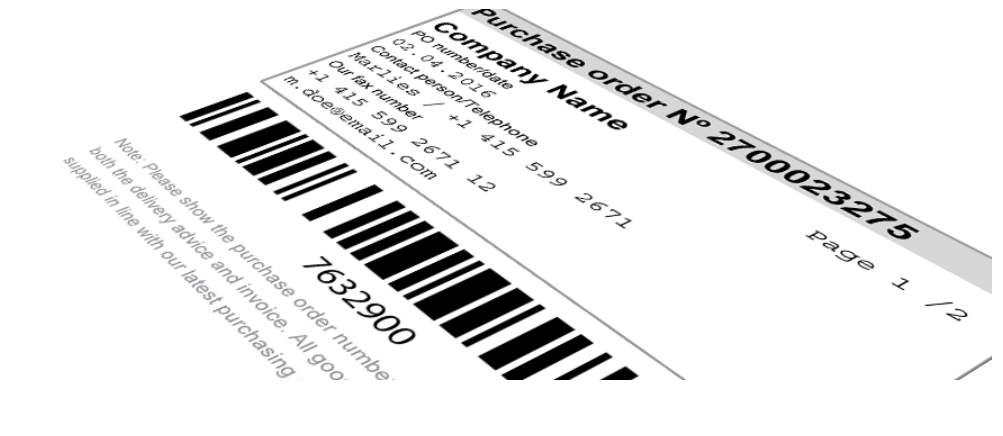
In addition of generating a barcode using the object library in Adobe Lifecycle Designer, there is also the option of integrating a barcode as a graphic object / bitmap / XSTRING into an Adobe form.
When the message of a PO is issued, in certain cases, the PO is issued in a mix of output language and another language. The aim should be that all elements of a PO are always printed in the message language. Just as it is the case with the formsin sales (invoice, etc.).
Many companies use Office 365. This package also includes Microsoft Exchange to send emails. The following tutorial explains how to configure the e-mail outbox in SAP to establish an SMTP connection from SAP to Microsoft 365. As a result, you can then send emails directly from SAP.
In many SAP objects, Generic Object Services (GOS) can be used to link additional information to the object.In many cases, files (Word documents, Excel sheets), i.a.also graphics are uploaded to the object.
The following section describes how to read a graphic (BMP, JPG, PNG, …) for an SAP object and pass the binary content to the form to be displayed there.
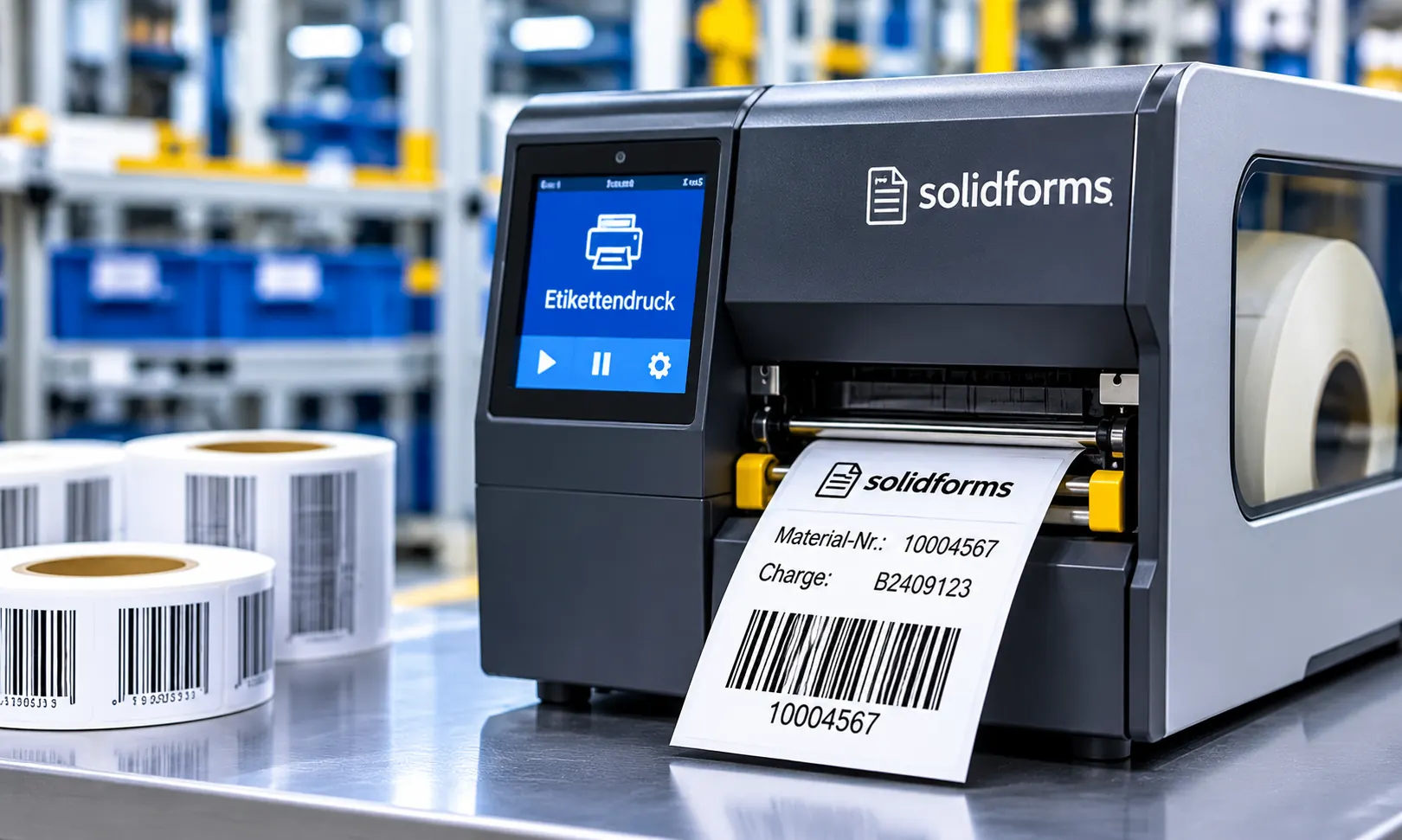
Printing of bar codes in SAP is not associated with any particular difficulties. In the device type definition of your printer, you can check which barcode types are supported. If you want to check whether your printer prints barcodes without other activities, call the standard text SAPSCRIPT-BARCODETEST with the ID ST and print the default text. If the standard text does not already exist, you must copy the standard text from the client 000 using Utilities -> Copy from client. If no barcodes are visible on the printout, then you have the following options for teaching your printer the barcodes.
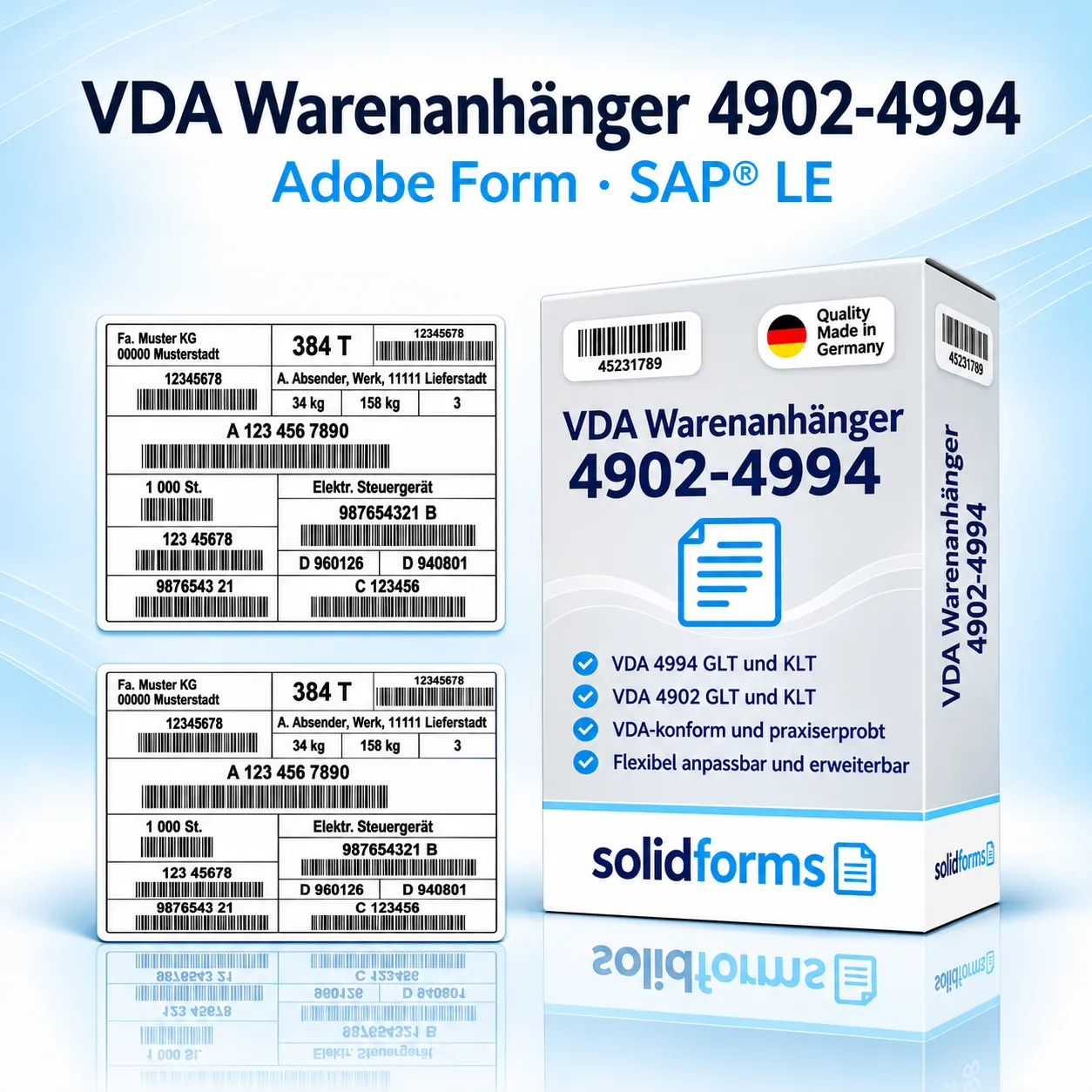
In automotive logistics, the information on shipping labels must match the packaging data transmitted electronically. This practical article explains how VDA shipping labels are structured in SAP®, which data is printed and how different packaging scenarios affect label output.
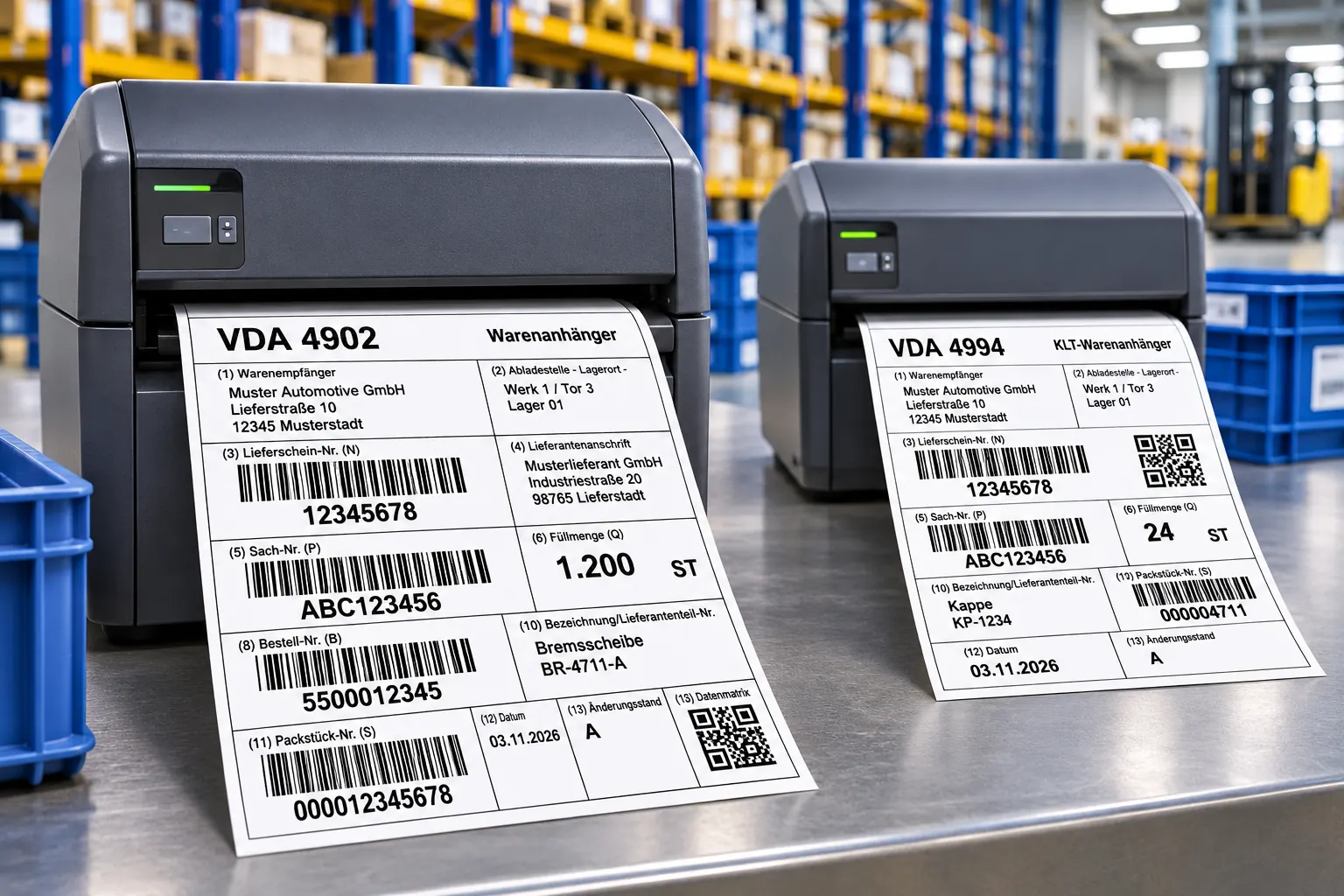
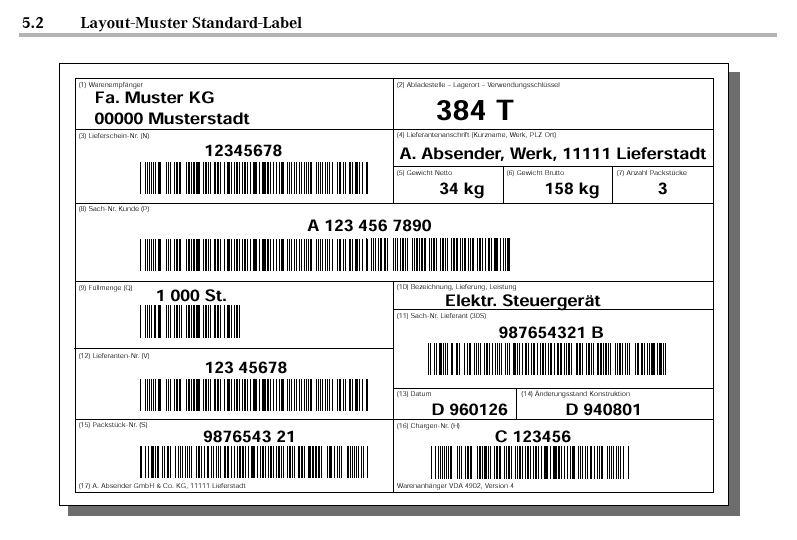
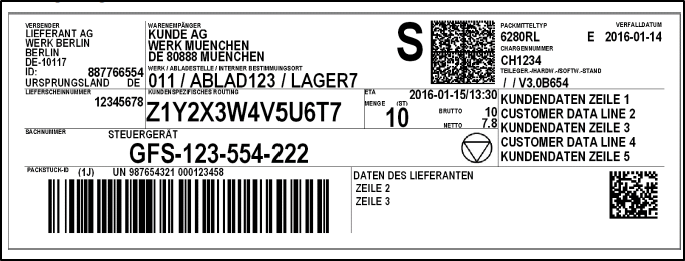
VDA 4902: example of a standard shipping label.
1. EDI Data and Printed Labels Must Match
Packaging data is transmitted to the automotive manufacturer via EDI in a defined structure. The recipient often specifies the packaging instructions in advance. The corresponding shipping labels are printed when the materials are physically packed.
Exact Character Matching Is Essential: If the packaging material type transmitted via EDI is, for example, 006280 the label must not simply show 6280 instead. Leading zeros and relevant spaces must be preserved in both human-readable text and barcodes.
Labels are created for actual packaging units such as small load carriers (KLT), large load carriers (GLT) and pallets. In the process described here, packaging aids such as inserts or lids do not receive separate labels.
2. Label Formats: Standard and KLT Labels
Label
Format and Use
Standard label
DIN A5; used for large load carriers and pallets, for example attached with adhesive dots.
KLT label
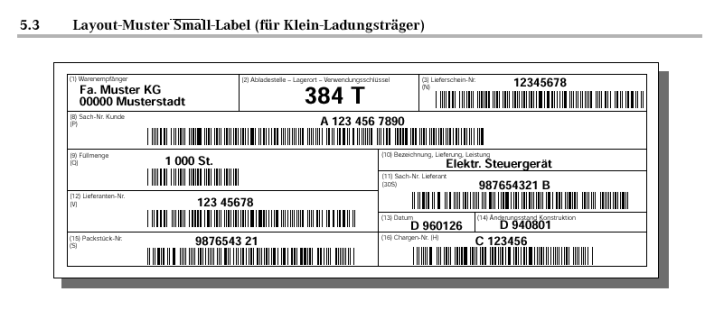
Half of DIN A5; for example, print on centrally perforated A5 card, fold and insert into the designated slots of the KLT.
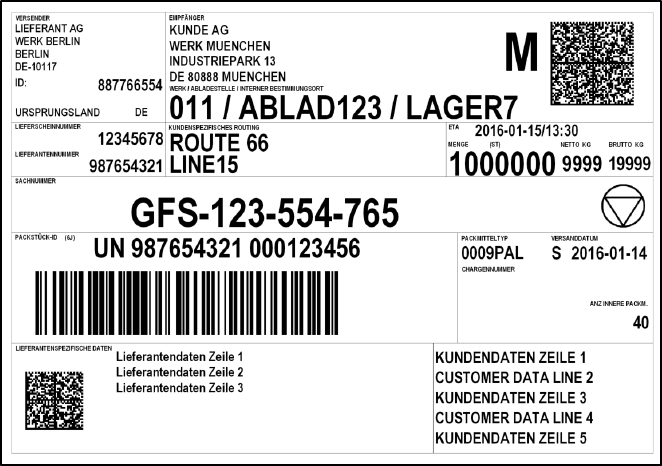
VDA 4902: compact label for small load carriers.VDA 4994: standard shipping label.VDA 4994: label for small load carriers.
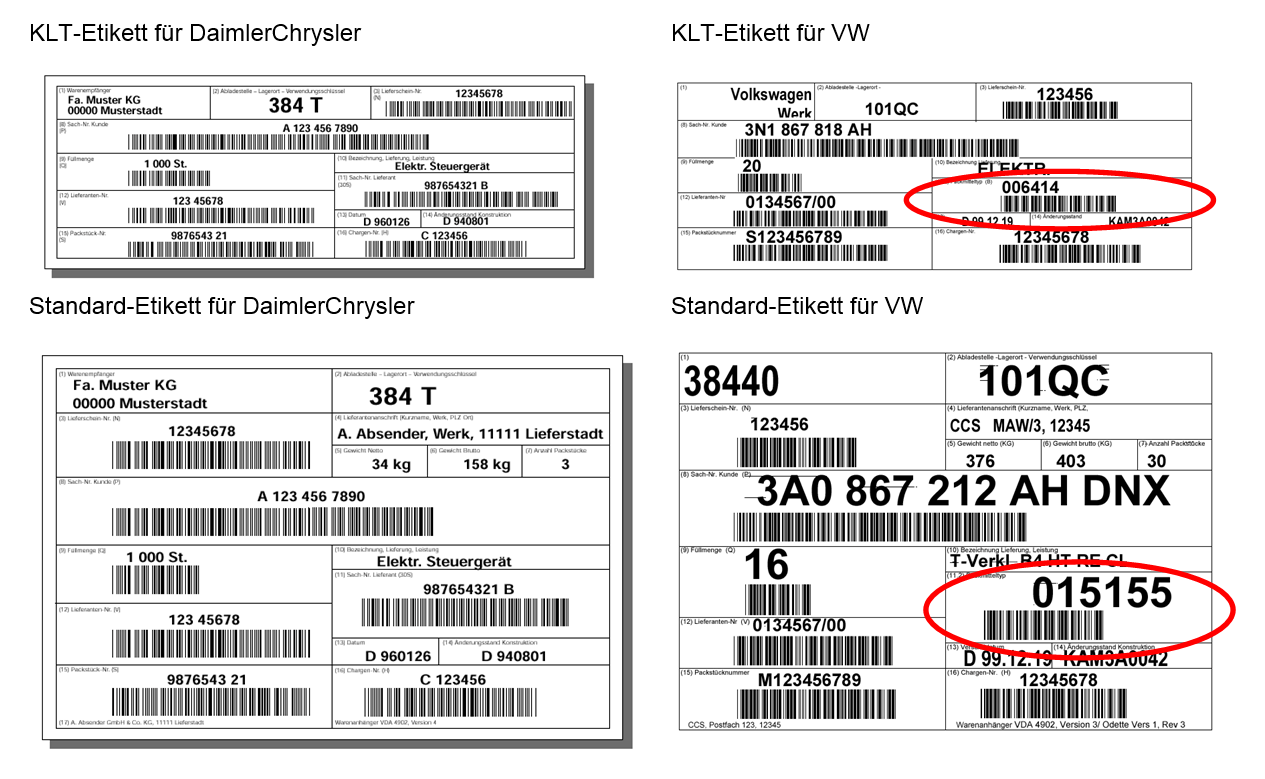
VDA 4902 and VDA 4994 shipping labels are generally standardized. However, individual field assignments may differ between automotive manufacturers: in the original example, VW uses one field for the packaging material type, while Mercedes-Benz uses it for the supplier’s part number.
3. What Data Appears on a VDA 4902 Shipping Label?
The label data should match the information transmitted via EDI. In the procedure described here, barcode fields receive a leading identifier so that the field type can be recognized during scanning.
Comparison: differences in the layout and field assignments of VDA 4902 labels.
Field
Data Source
Notes / Barcode
Goods recipient
Goods recipient’s address
Automotive manufacturer’s plant according to the delivery schedule
Unloading point
Unloading point from the delivery
Header data / transport-related information
Delivery note
Delivery number
Barcode prefix N
Supplier address
Name of the shipping point
Net weight
Net weight of the handling unit
Gross weight
Gross weight of the handling unit
Number of packages
Packaging structure
S: number of identical packages without inner packages; M: identical inner packages; G: mixed inner packages
Customer part number
Customer material number
Barcode prefix P; for mixed shipments, print “MIXED SHIPMENT” as human-readable text, without the corresponding barcode
Quantity per package
Shipping unit quantity
Barcode prefix Q; for the M/G scenarios described, quantity 0 in the barcode and no human-readable quantity
Supplier number
Supplier number assigned by the customer (sold-to party partner role AG)
Barcode prefix V
Package number
External HU number VEKP-EXIDV
Barcode prefix S for single-material packages or G for mixed packages
Delivery description
Material short text from the delivery item
Do not print for mixed shipments
Packaging material type
Customer packaging material from the HU header
Barcode prefix B
Date
Goods issue date
Engineering revision level
VWAHN-AESKD
Batch number
Batch from the delivery item
Barcode prefix H; only if required by the technical delivery conditions
4. Barcode Type and Package Identifiers
The barcodes described in the original article use Code 39 . For these packaging scenarios, the package identifiers S, M and G are particularly relevant.
Note: The following identifiers and printing rules describe the implementation documented in the original article. Customer-specific and manufacturer-specific requirements must be verified for each project.
5. Seven Packaging Scenarios and Their Labels
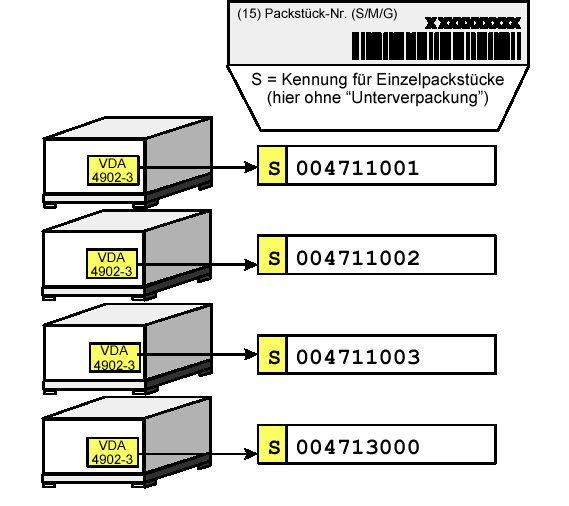
Case 1: Single-Material KLT
Each KLT contains only one material. One KLT label is printed.
The customer part number and material description are printed.
Quantity: amount contained in the KLT.
Package number with identifier S.
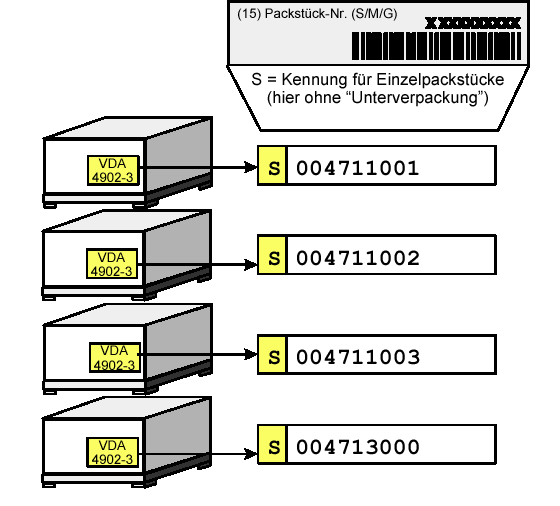
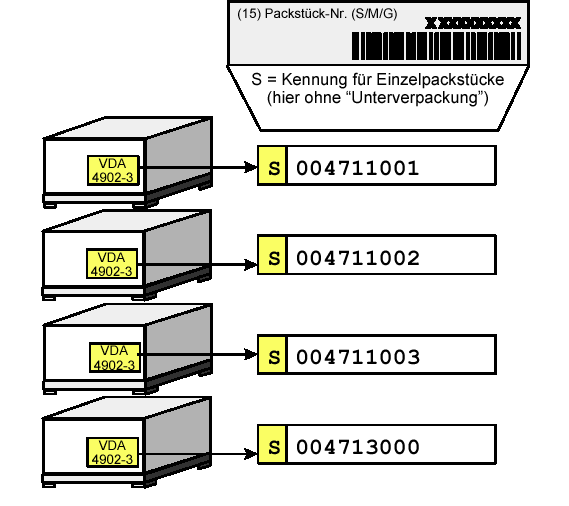
Packaging example 1: schematic illustration of label output.
Case 2: Mixed-Material KLT
One KLT contains at least two different materials. One KLT label is printed.
Customer part number shown as MIXED SHIPMENT in human-readable text; no material-number barcode.
No quantity or material description.
Package number with identifier G.
Packaging example 2: schematic illustration of label output.
Case 3: Single-Material GLT
Each GLT contains only one material. One standard label is printed.
The customer part number and material description are printed.
Quantity: amount contained in the GLT.
Package number with identifier S.
Packaging example 3: schematic illustration of label output.
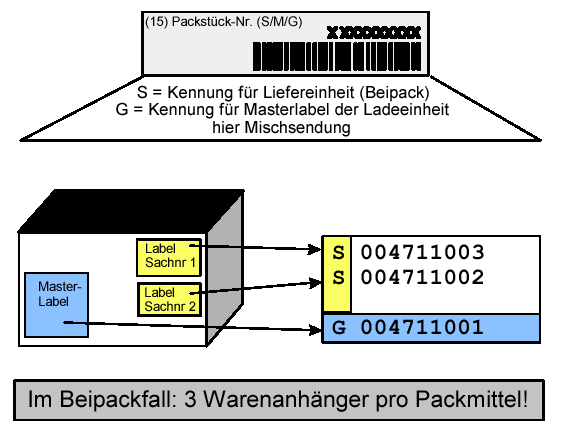
Case 4: Mixed-Material GLT with Master and Child Labels
One GLT contains multiple materials. In the scenario described, two materials require one master label and two child labels.
Master label: MIXED SHIPMENT, no material-number barcodes, quantity or description; package identifier G.
Child label: Customer part number, material quantity in the HU and material description; package identifier S.
According to the original scenario, master and child labels carry the same package number.
Packaging example 4: schematic illustration of label output.
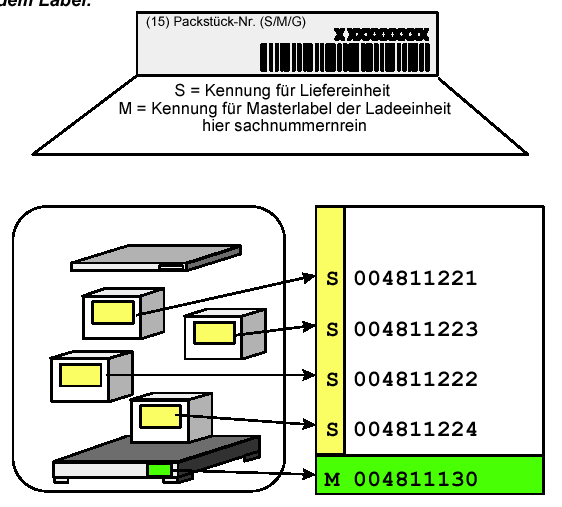
Case 5: One Single-Material Delivery Item in Multiple KLTs on a Pallet
Example: one delivery item is distributed across four KLTs on a pallet containing only that material.
KLT labels: Customer part number, quantity and description; package identifier S.
Pallet label: Customer part number, quantity and description; package identifier M.
Packaging example 5: schematic illustration of label output.
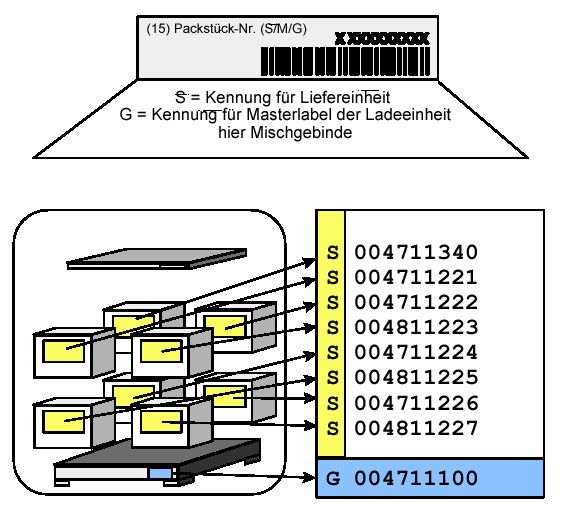
Case 6: Multiple Single-Material KLTs with Different Materials on One Pallet
Each individual KLT contains only one material, but the pallet as a whole contains different materials.
KLT labels: Customer part number, quantity and description; package identifier S.
Pallet label: MIXED SHIPMENT, no material-number barcodes, quantity or description; package identifier G.
Packaging example 6: schematic illustration of label output.
Case 7: Mixed-Material and Single-Material KLTs on One Pallet
Example: one KLT contains a single material, while three others each contain multiple materials. The pallet is also mixed.
Single-material KLT: Customer part number, quantity, description; package identifier S.
Mixed-material KLTs: MIXED SHIPMENT, no material-number barcodes, quantity or description; package identifier G.
Pallet: MIXED SHIPMENT, no material-number barcodes, quantity or description; package identifier G.
6. Initial Printing and Reprinting in SAP®
Initial print: In the classic SAP® process described here, printing is initiated manually via transaction VL74 using the delivery number.
Reprint: Reprinting is performed via VL74 or from the delivery via Packing/Loading → Shipping Unit Messages. On the selection screen, enter the delivery number and select processing mode 2 . You can then select the shipping units belonging to the delivery and print the labels again.
System dependency: These printing procedures refer to the classic message processing described in the original article. Output and printing processes may be configured differently in SAP S/4HANA, especially in EWM.
7. Implementing VDA Shipping Labels with SAP® Adobe Forms
In addition to layout design, the key factors in implementing the forms are data retrieval from deliveries and handling units, packaging hierarchies, customer requirements and reliable barcode encoding. Learn more about SAP® Label Printing and Label Management.
Reliable VDA Shipping Label Printing in SAP®
solidforms supports Adobe Forms development, the integration of delivery and handling-unit data, and the design of a maintainable label printing and forms strategy.
Background: Revised and restructured version of the solidforms blog post originally published on November 12, 2015. The printing rules and transactions described must be verified for the specific application and customer.
[av_textblock size=” font_color=” color=”]
In an SAP Adobe Forms form, the content of a field is to be displayed at a certain font height. However, it can be that the variable exceeds the size of the field when a certain number of characters are exceeded. In this case, the font height should be reduced.
In the following a workaround is presented, how this can be achieved.
[av_textblock size=” font_color=” color=”]
If an SAP invoice has several pages, the sum of all the positions of the current page at the end of a page should be displayed. It is the classical demand for a representation of the carry over on a bill.
[av_textblock size=” font_color=” color=”]
Recently, one of my clients has set up the migration of his SAP system to a HANA database. Since I have made many developments on this system, I have accompanied the project in its 8 months of project duration.