











SOLIDFORMS INSIGHTS · SAP® LABEL PRINTING · PRACTICAL KNOW-HOW
Generating VDA 4902 and VDA 4994 Shipping Labels in SAP®
Label formats, EDI data, Code 39 barcodes and seven packaging scenarios for small and large load carriers and pallets.
In automotive logistics, the information on shipping labels must match the packaging data transmitted electronically. This practical article explains how VDA shipping labels are structured in SAP®, which data is printed and how different packaging scenarios affect label output.
1. EDI Data and Printed Labels Must Match
Packaging data is transmitted to the automotive manufacturer via EDI in a defined structure. The recipient often specifies the packaging instructions in advance. The corresponding shipping labels are printed when the materials are physically packed.
006280 the label must not simply show 6280 instead. Leading zeros and relevant spaces must be preserved in both human-readable text and barcodes.Labels are created for actual packaging units such as small load carriers (KLT), large load carriers (GLT) and pallets. In the process described here, packaging aids such as inserts or lids do not receive separate labels.
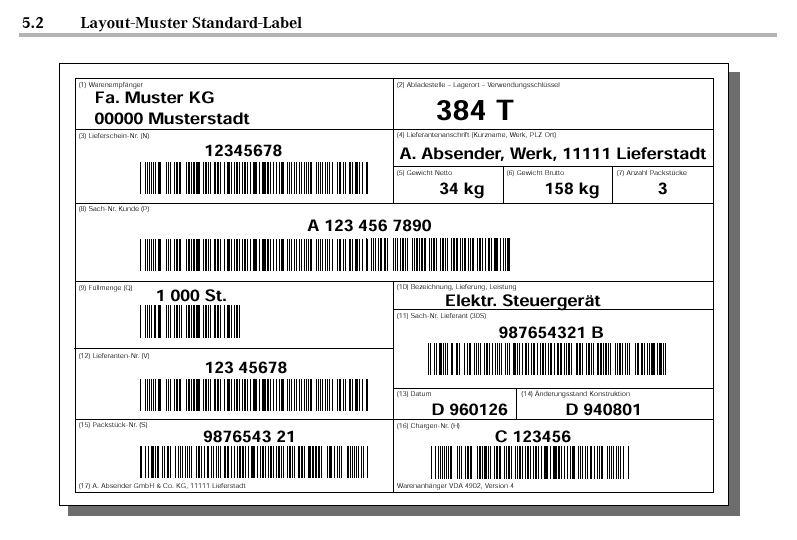
2. Label Formats: Standard and KLT Labels
| Label | Format and Use |
|---|---|
| Standard label | DIN A5; used for large load carriers and pallets, for example attached with adhesive dots. |
| KLT label | Half of DIN A5; for example, print on centrally perforated A5 card, fold and insert into the designated slots of the KLT. |
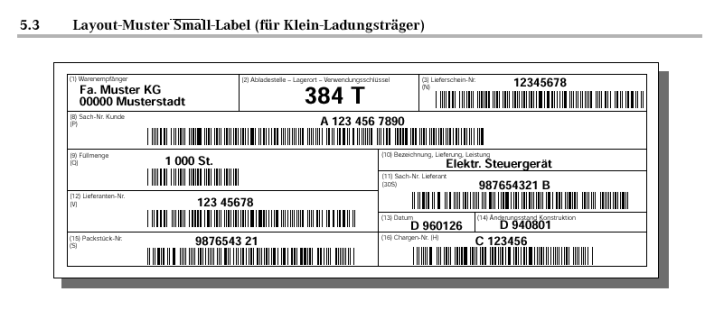
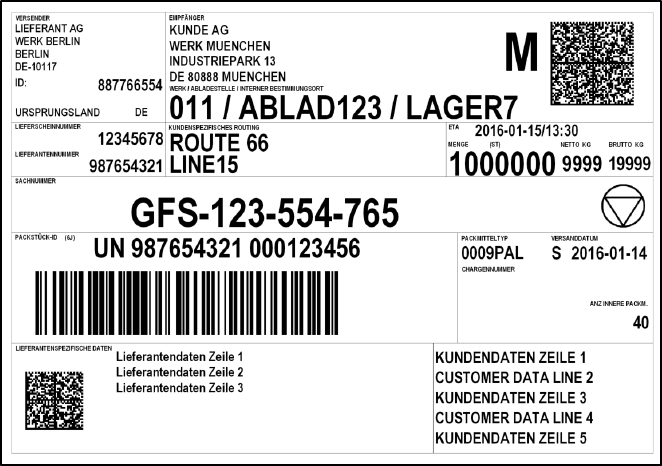
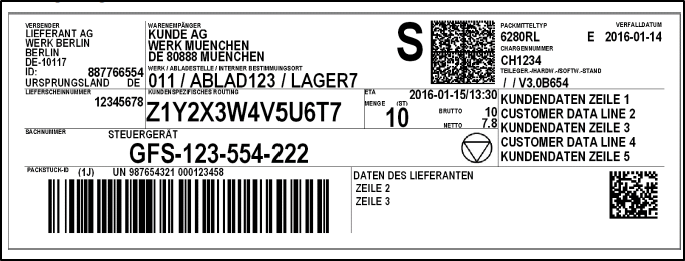
VDA 4902 and VDA 4994 shipping labels are generally standardized. However, individual field assignments may differ between automotive manufacturers: in the original example, VW uses one field for the packaging material type, while Mercedes-Benz uses it for the supplier’s part number.
3. What Data Appears on a VDA 4902 Shipping Label?
The label data should match the information transmitted via EDI. In the procedure described here, barcode fields receive a leading identifier so that the field type can be recognized during scanning.
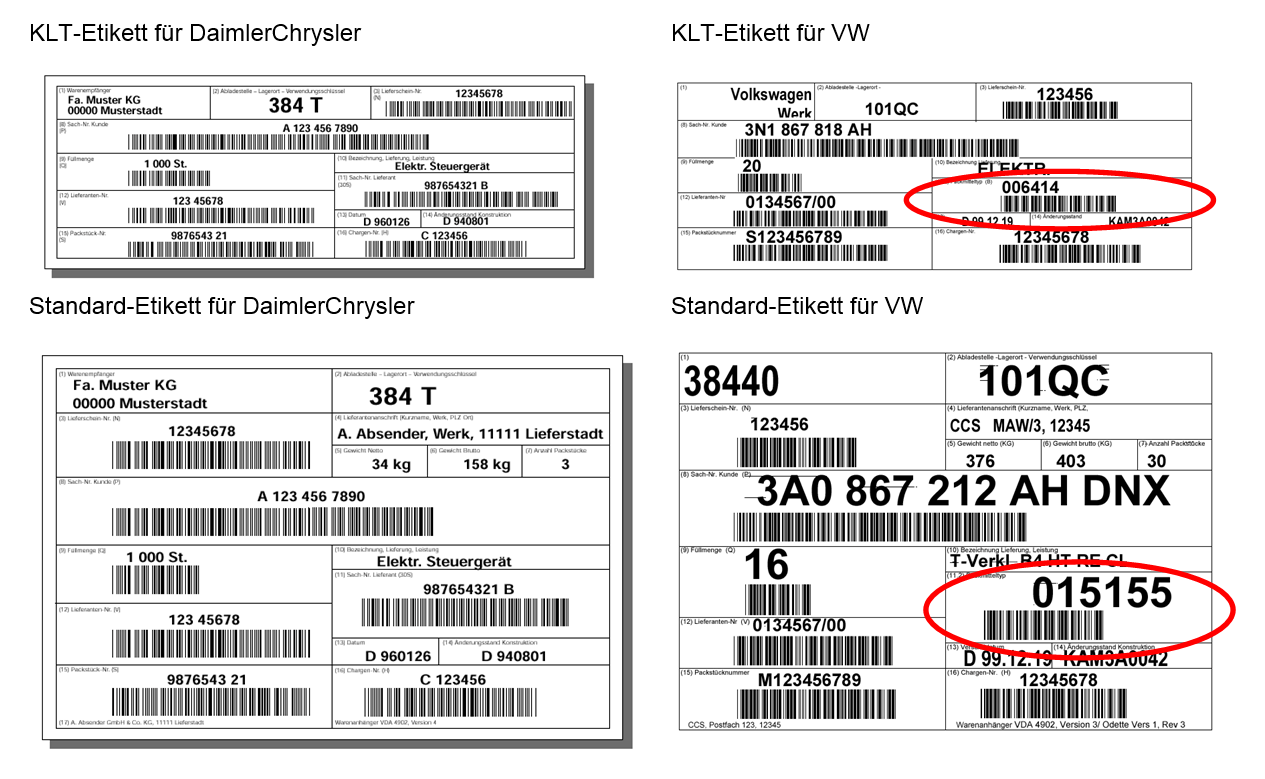
| Field | Data Source | Notes / Barcode |
|---|---|---|
| Goods recipient | Goods recipient’s address | Automotive manufacturer’s plant according to the delivery schedule |
| Unloading point | Unloading point from the delivery | Header data / transport-related information |
| Delivery note | Delivery number | Barcode prefix N |
| Supplier address | Name of the shipping point | |
| Net weight | Net weight of the handling unit | |
| Gross weight | Gross weight of the handling unit | |
| Number of packages | Packaging structure | S: number of identical packages without inner packages; M: identical inner packages; G: mixed inner packages |
| Customer part number | Customer material number | Barcode prefix P; for mixed shipments, print “MIXED SHIPMENT” as human-readable text, without the corresponding barcode |
| Quantity per package | Shipping unit quantity | Barcode prefix Q; for the M/G scenarios described, quantity 0 in the barcode and no human-readable quantity |
| Supplier number | Supplier number assigned by the customer (sold-to party partner role AG) | Barcode prefix V |
| Package number | External HU number VEKP-EXIDV | Barcode prefix S for single-material packages or G for mixed packages |
| Delivery description | Material short text from the delivery item | Do not print for mixed shipments |
| Packaging material type | Customer packaging material from the HU header | Barcode prefix B |
| Date | Goods issue date | |
| Engineering revision level | VWAHN-AESKD | |
| Batch number | Batch from the delivery item | Barcode prefix H; only if required by the technical delivery conditions |
4. Barcode Type and Package Identifiers
The barcodes described in the original article use Code 39 . For these packaging scenarios, the package identifiers S, M and G are particularly relevant.
5. Seven Packaging Scenarios and Their Labels
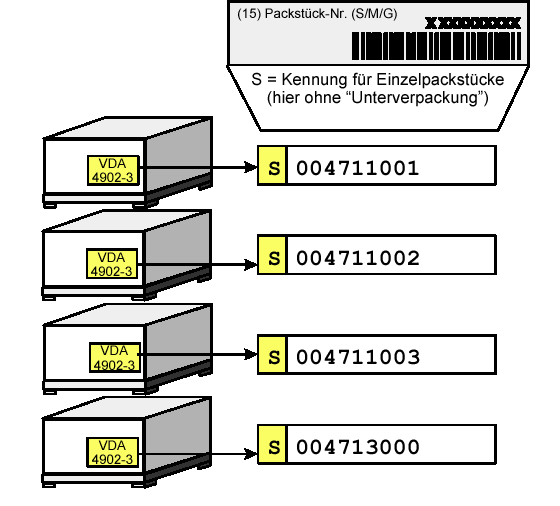
Case 1: Single-Material KLT
Each KLT contains only one material. One KLT label is printed.
- The customer part number and material description are printed.
- Quantity: amount contained in the KLT.
- Package number with identifier S.
Case 2: Mixed-Material KLT
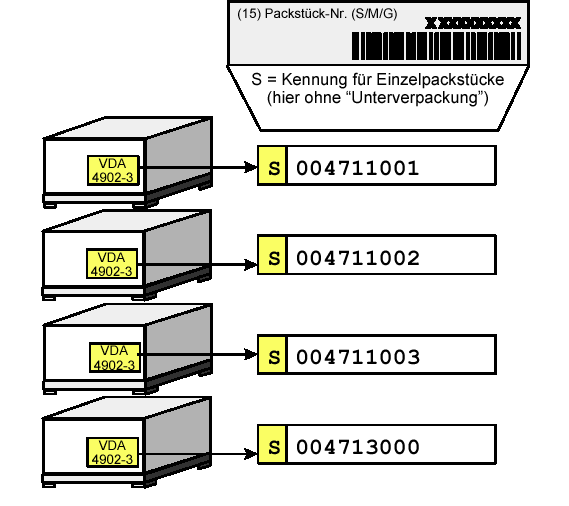
One KLT contains at least two different materials. One KLT label is printed.
- Customer part number shown as MIXED SHIPMENT in human-readable text; no material-number barcode.
- No quantity or material description.
- Package number with identifier G.
Case 3: Single-Material GLT
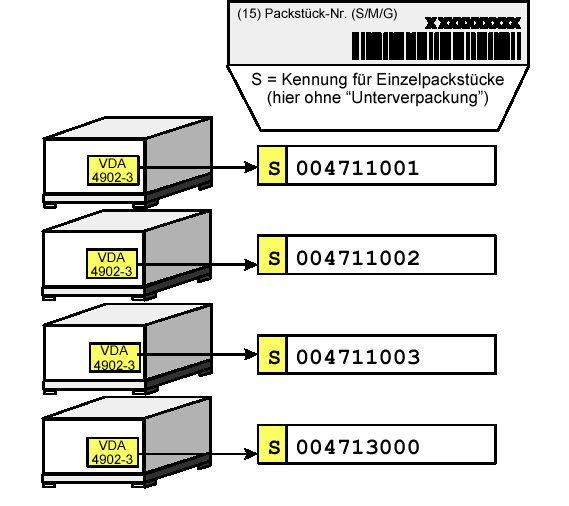
Each GLT contains only one material. One standard label is printed.
- The customer part number and material description are printed.
- Quantity: amount contained in the GLT.
- Package number with identifier S.
Case 4: Mixed-Material GLT with Master and Child Labels
One GLT contains multiple materials. In the scenario described, two materials require one master label and two child labels.
- Master label: MIXED SHIPMENT, no material-number barcodes, quantity or description; package identifier G.
- Child label: Customer part number, material quantity in the HU and material description; package identifier S.
- According to the original scenario, master and child labels carry the same package number.
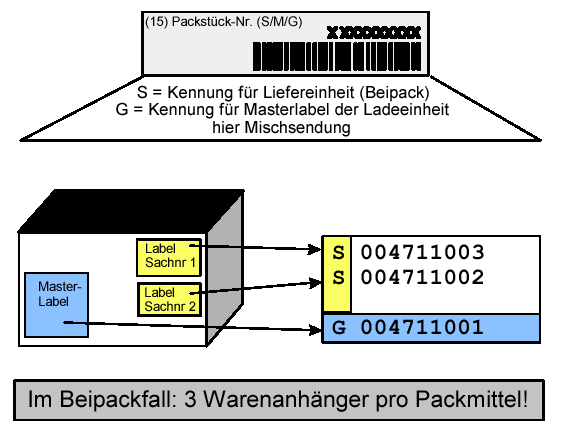
Case 5: One Single-Material Delivery Item in Multiple KLTs on a Pallet
Example: one delivery item is distributed across four KLTs on a pallet containing only that material.
- KLT labels: Customer part number, quantity and description; package identifier S.
- Pallet label: Customer part number, quantity and description; package identifier M.
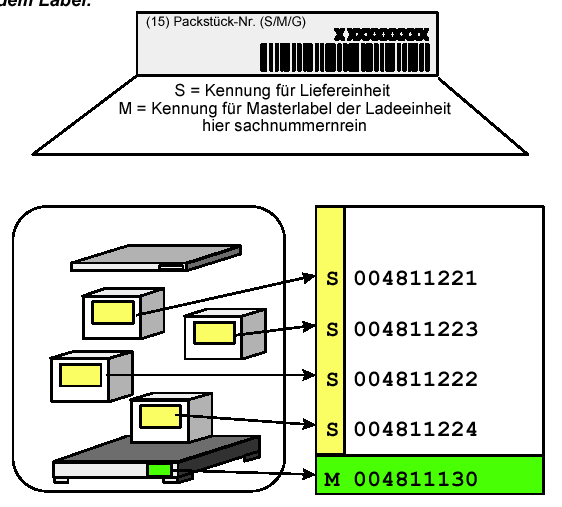
Case 6: Multiple Single-Material KLTs with Different Materials on One Pallet
Each individual KLT contains only one material, but the pallet as a whole contains different materials.
- KLT labels: Customer part number, quantity and description; package identifier S.
- Pallet label: MIXED SHIPMENT, no material-number barcodes, quantity or description; package identifier G.
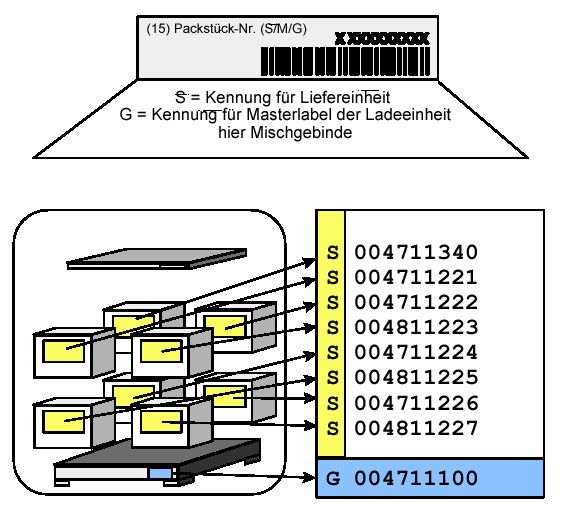
Case 7: Mixed-Material and Single-Material KLTs on One Pallet
Example: one KLT contains a single material, while three others each contain multiple materials. The pallet is also mixed.
- Single-material KLT: Customer part number, quantity, description; package identifier S.
- Mixed-material KLTs: MIXED SHIPMENT, no material-number barcodes, quantity or description; package identifier G.
- Pallet: MIXED SHIPMENT, no material-number barcodes, quantity or description; package identifier G.
6. Initial Printing and Reprinting in SAP®
Initial print: In the classic SAP® process described here, printing is initiated manually via transaction VL74 using the delivery number.
Reprint: Reprinting is performed via VL74 or from the delivery via Packing/Loading → Shipping Unit Messages. On the selection screen, enter the delivery number and select processing mode 2 . You can then select the shipping units belonging to the delivery and print the labels again.
7. Implementing VDA Shipping Labels with SAP® Adobe Forms
In addition to layout design, the key factors in implementing the forms are data retrieval from deliveries and handling units, packaging hierarchies, customer requirements and reliable barcode encoding. Learn more about SAP® Label Printing and Label Management.
Reliable VDA Shipping Label Printing in SAP®
solidforms supports Adobe Forms development, the integration of delivery and handling-unit data, and the design of a maintainable label printing and forms strategy.
Contact solidforms · Explore Label Printing & Label Management
RELATED PRODUCT IN THE SOLIDFORMS CATALOG
SAP® Form: VDA 4902 / 4994 Shipping Labels
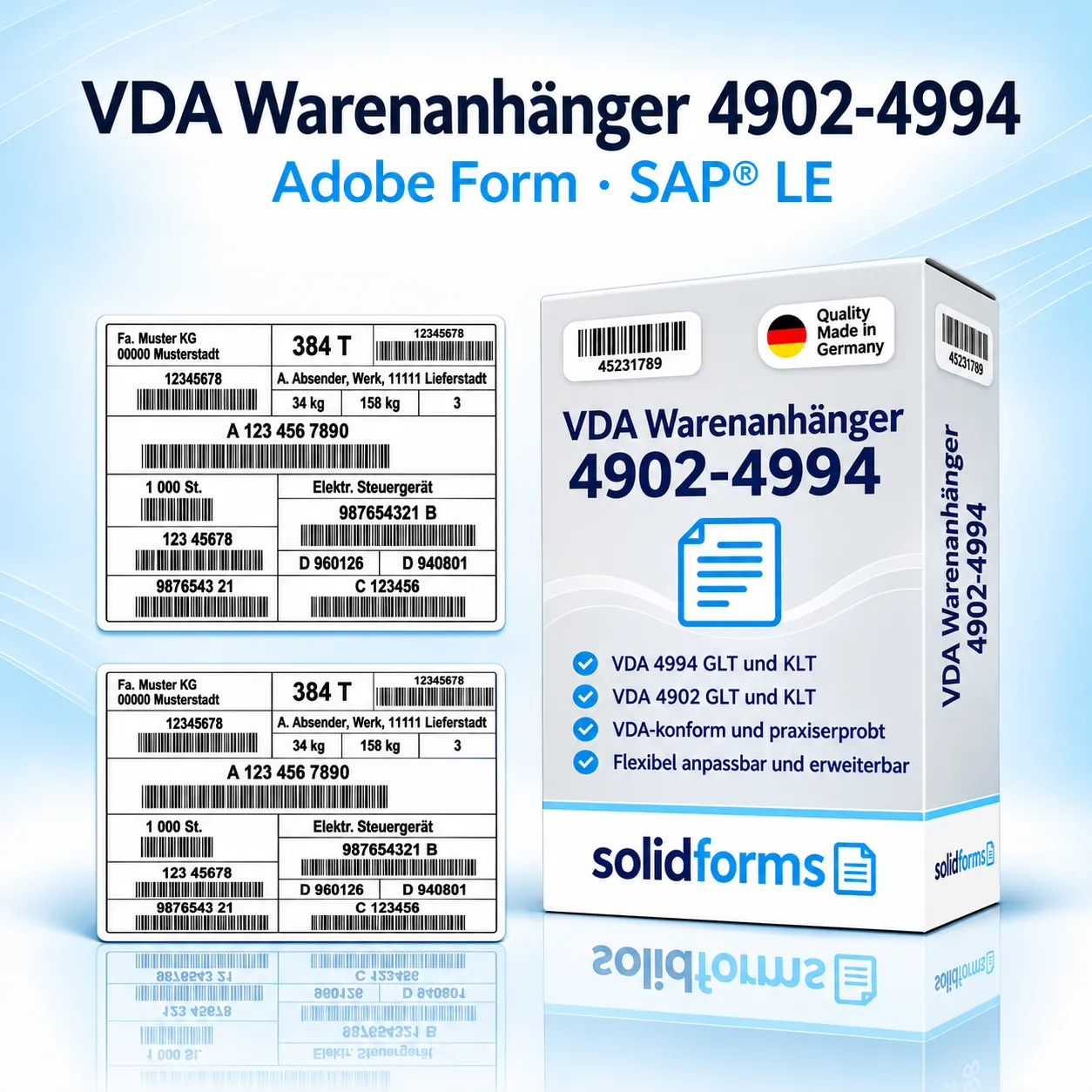
VDA shipping labels for SAP®: a practical starting point for standardized labels and the integration of packaging processes.
Background: Revised and restructured version of the solidforms blog post originally published on November 12, 2015. The printing rules and transactions described must be verified for the specific application and customer.