











Everyday Benefits
Form Changes Are Part of Everyday Business
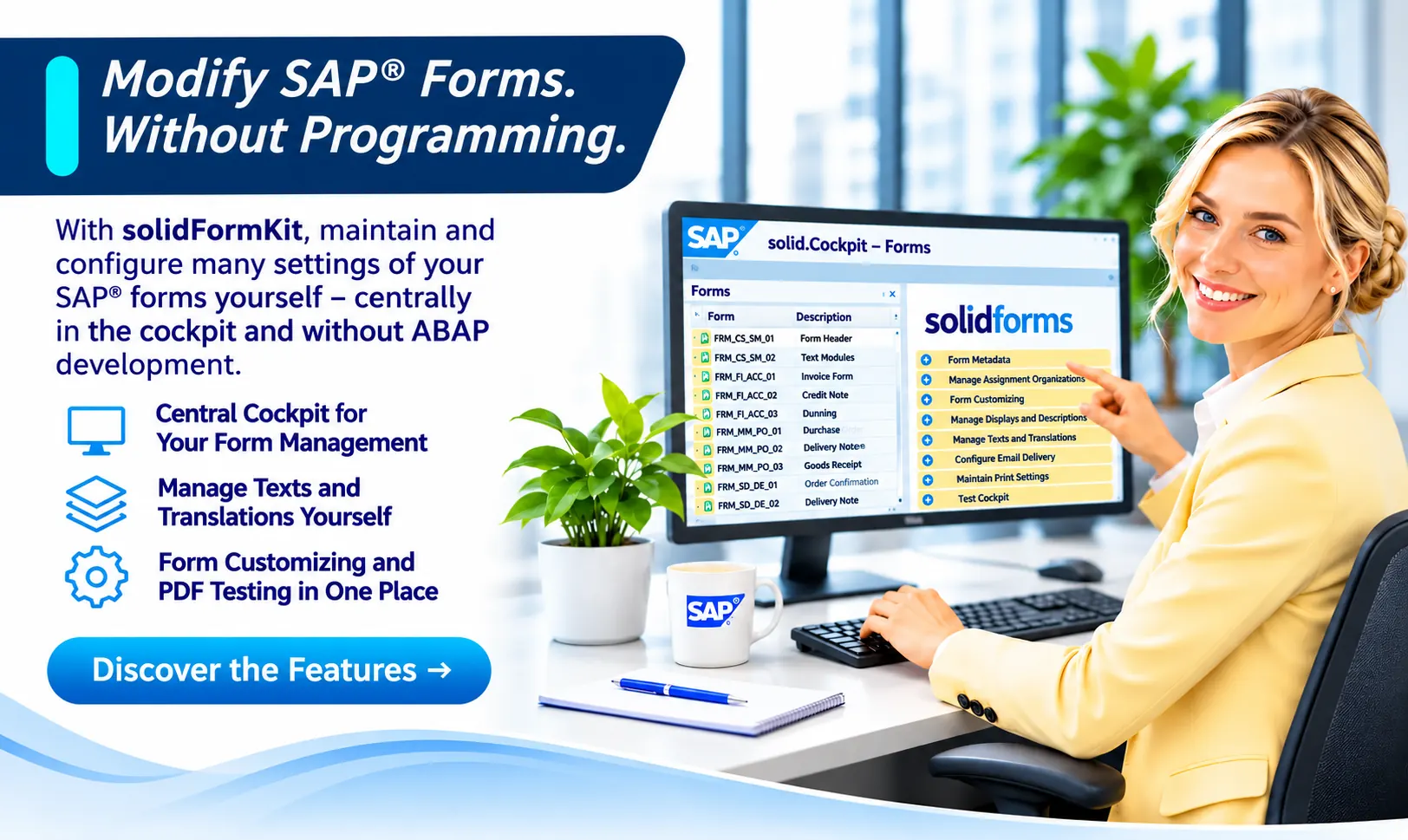
Not every minor change needs to become a development project. With solid.FormKit, authorized users can make many routine adjustments themselves.
Add a New Language
Maintain form labels in multiple languages from one central location.
Update Bank Details
Update company-code-specific information centrally.
Replace a Company Logo
Manage stored logos and sender information.
Add Informational Text
Configure additional text and where it appears on the form.
Maintain Contact Persons
Keep form-specific contact details up to date.
Manage Layout Variants
Adjust predefined form options through configuration.
Explore the Framework
Six Essential Tools for Form Maintenance
From the central cockpit and translations to reusable text blocks and testing completed PDF documents: these screenshots show the actual capabilities of solid.FormKit.
Feature 01
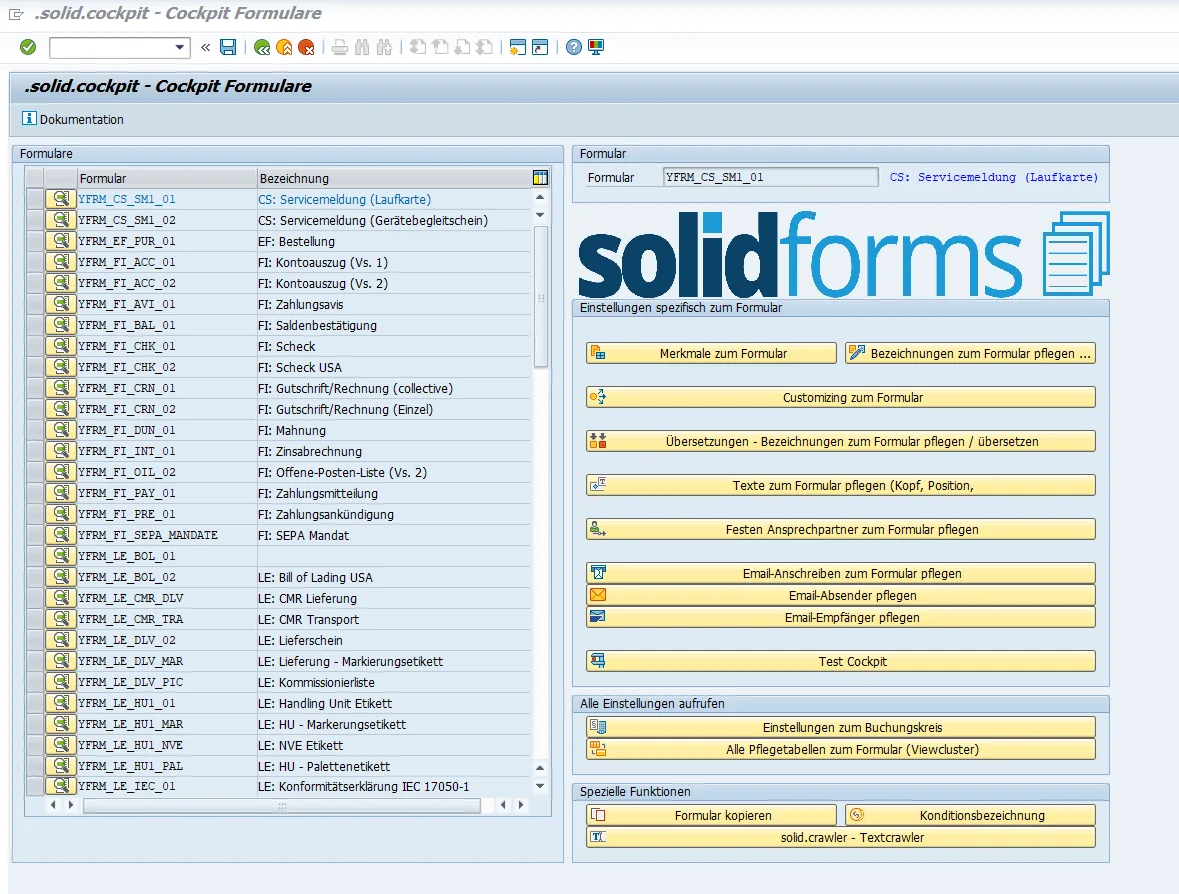
The Central solid.Cockpit
In solid.Cockpit, you select a form and access all connected maintenance and configuration functions through a single interface. These include labels, text blocks, contact persons, email settings, company-code attributes, and the test cockpit.
One cockpit for form maintenance instead of numerous separate entry points.
Feature 02
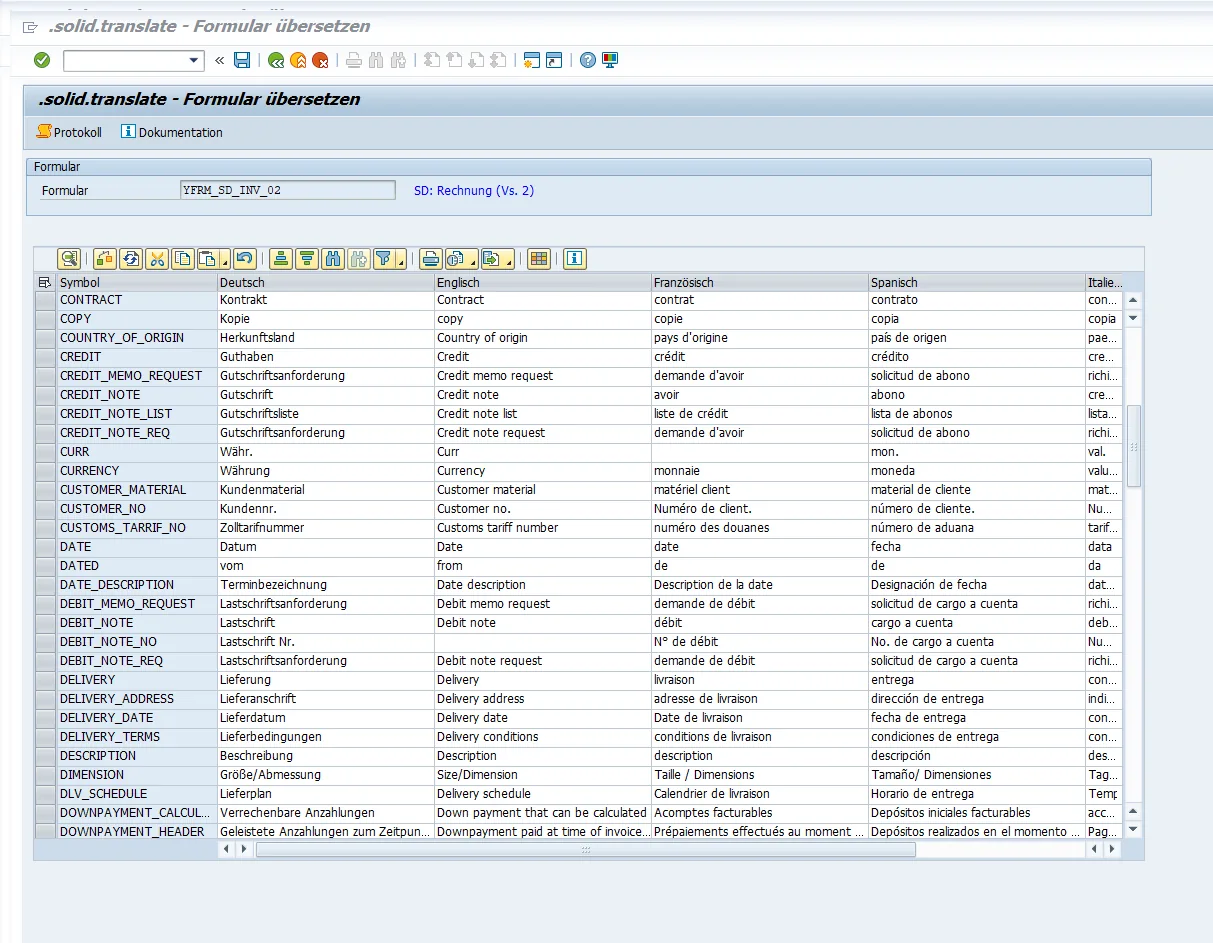
Translations and Labels
With solid.translate, you maintain language-dependent labels directly in a table. German, English, French, Spanish, and other languages appear side by side. Changes can be applied across connected forms without maintaining a separate layout for every language.
Practical example: Add a new French field label to an invoice.
Feature 03
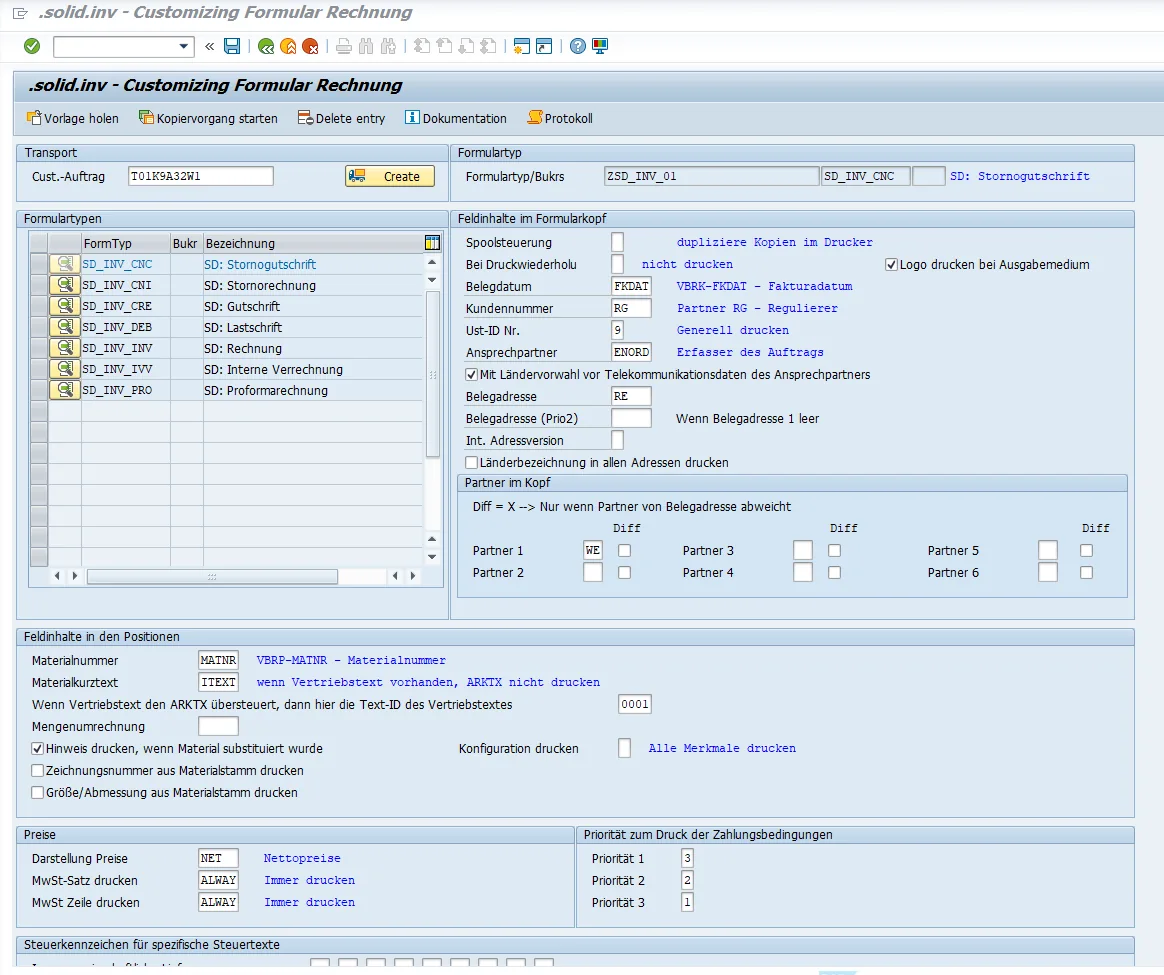
Flexible Form Configuration
Form configuration provides numerous settings without modifying the Adobe form itself. Depending on the form, you can control document addresses, partner roles, header fields, item texts, print options, and how prices and taxes are displayed.
Practical example: Change the contact person or document address used for an invoice variant.
Feature 04
Flexible Text Blocks Wherever You Need Them
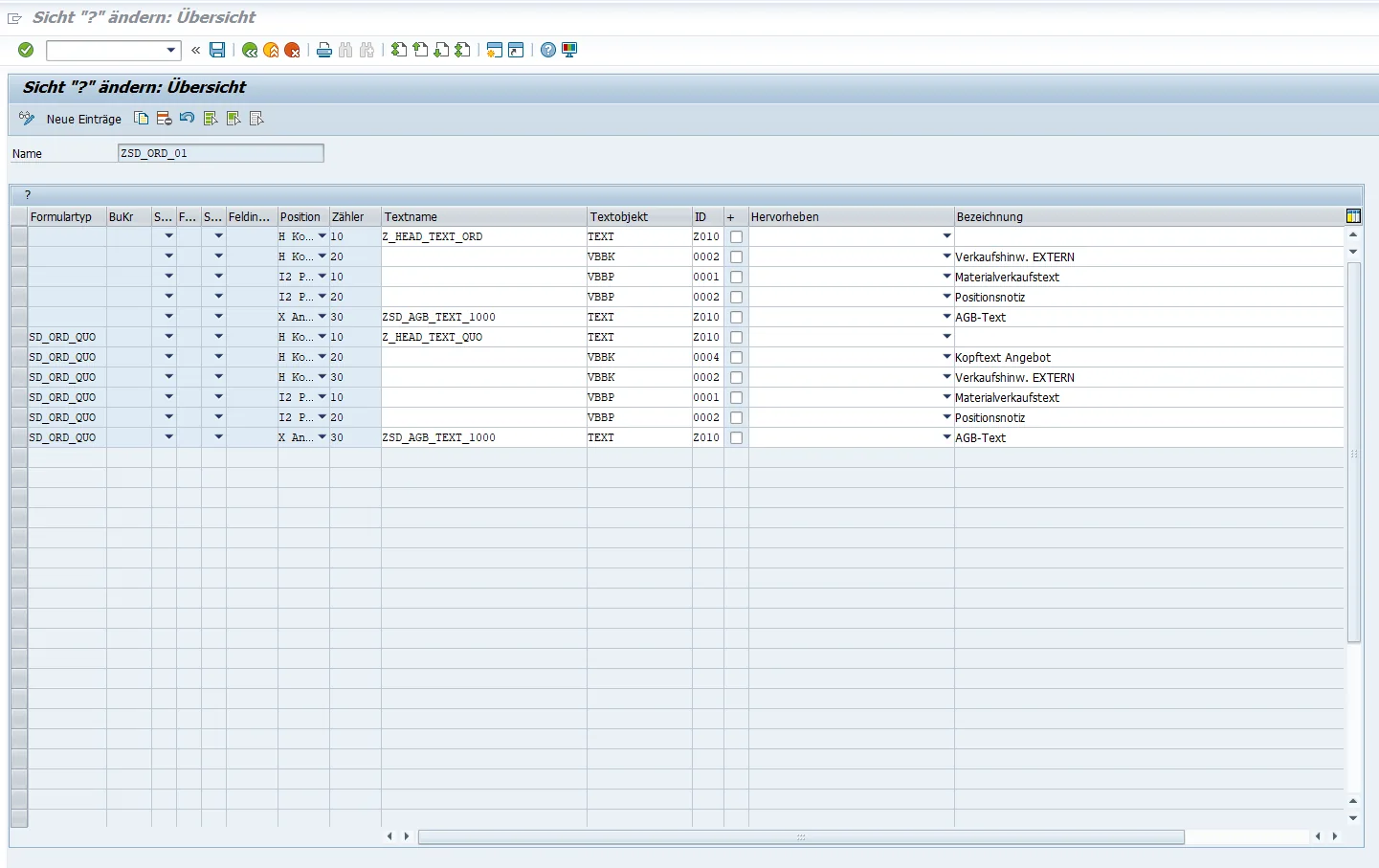
Text blocks are maintained centrally by form and, where necessary, by company code. You decide whether text appears in the form header, at item level, or in an appendix. Position and sequence numbers determine the order, making it easy to include general notices, item-specific text, and additional attachments.
Practical example: Add a trade-fair notice to the header, display a material note at item level, and manage terms and conditions in the appendix.
Feature 05
Central Form Elements by Company Code
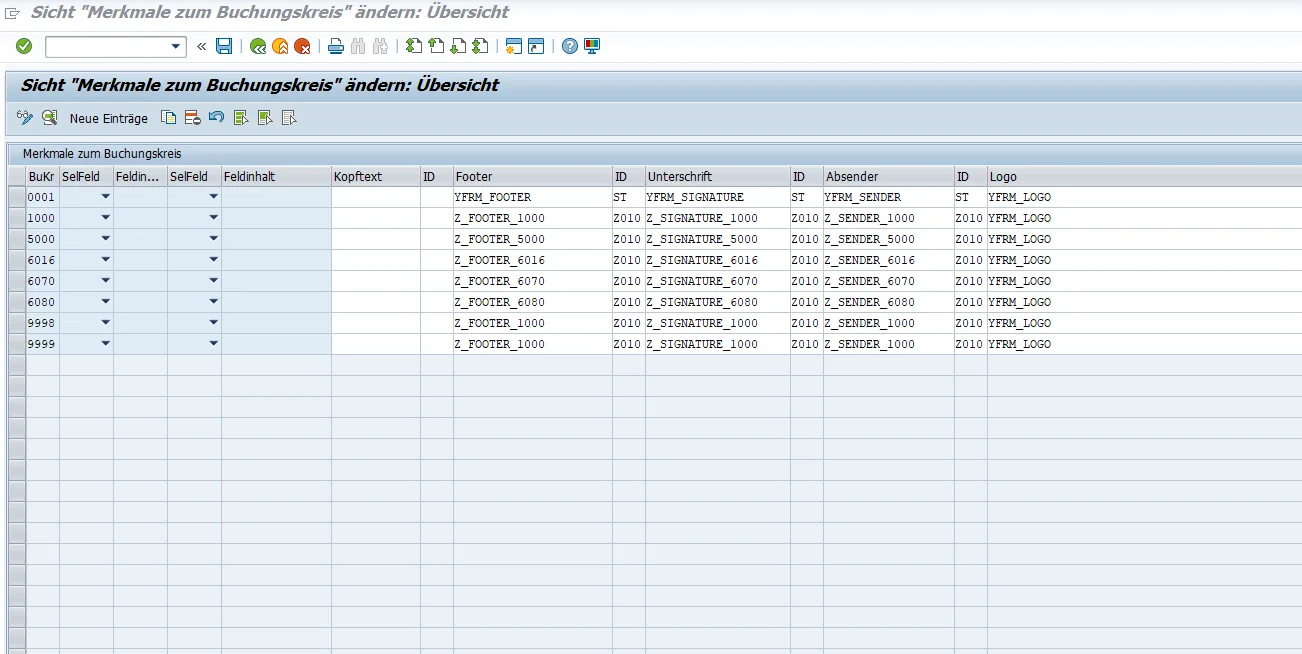
Company-code attributes let you maintain shared form elements centrally. Header text, footers, signatures, sender details, and logos can be stored for each company code. All appropriately integrated forms can retrieve this information from the same maintenance source.
Practical example: After a change in managing director, update the signature centrally instead of editing each form individually.
Feature 06
Test Cockpit with PDF Preview and Saved Test Versions
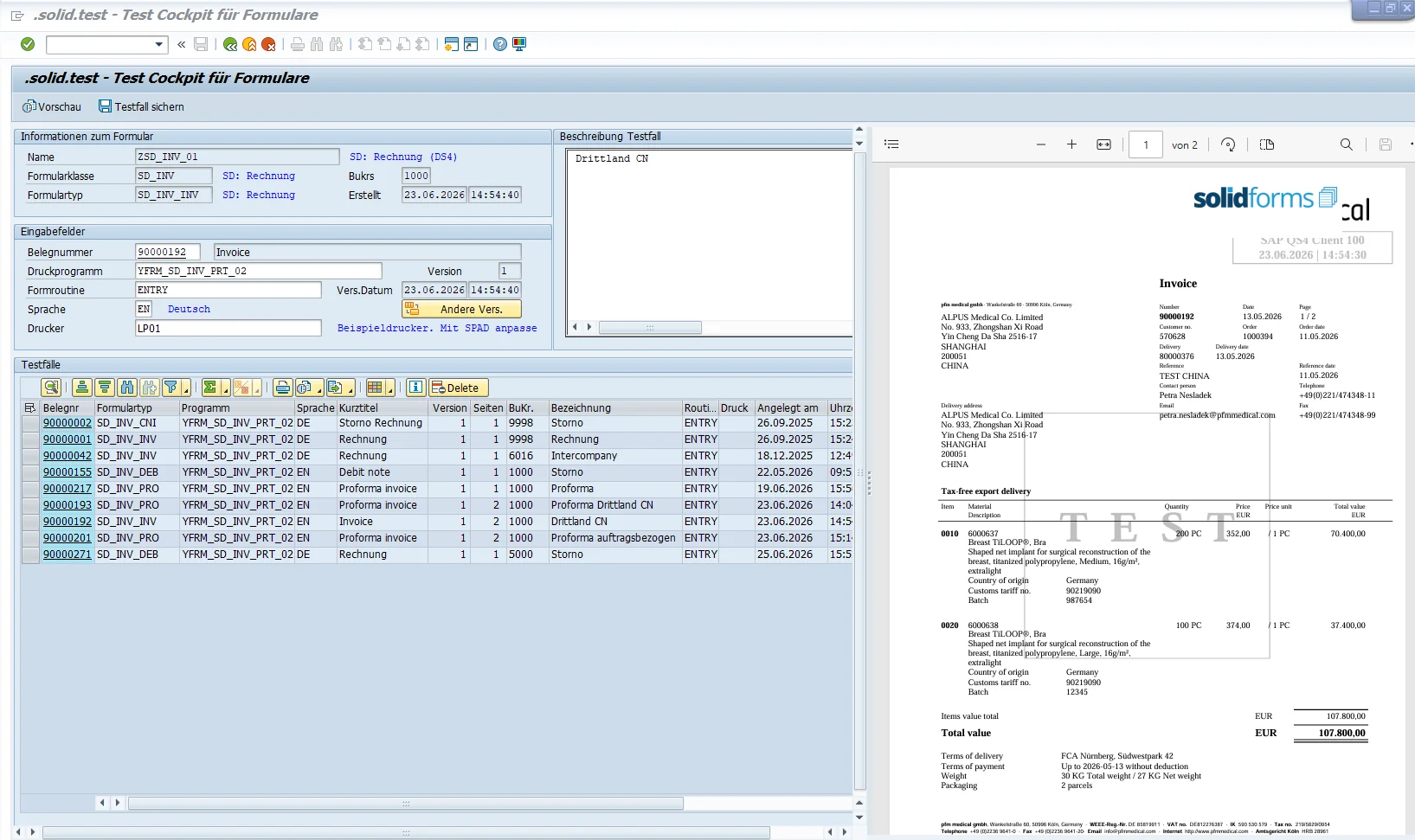
In solid.test, enter a document number to generate an immediate PDF preview. Test cases can be saved, versioned, and reused. This allows business users and IT teams to verify configuration changes directly against a specific document.
Practical example: Regenerate and check an invoice after a change using a saved test case.
Real-World Examples
What Your Business Teams Can Change Themselves
Display Text Blocks Selectively
Need an additional notice to appear only on certain forms? Select the form type and, if necessary, the company code; define the text, output location, and sequence—in the header, at item level, or in the appendix.
Update Company Information Centrally
Whether you need a new logo, different sender details, or an updated signature, the relevant elements are maintained by company code and made centrally available to connected forms.
Beyond Form Maintenance
Supporting Processes Matter Too
Additional Maintenance Functions
The cockpit also provides access to text blocks, designated contacts, email cover messages, sender and recipient information, and company-code settings. Form copying and other specialized functions are available centrally as well.
Business Teams and IT Work More Efficiently
Business users handle the configuration tasks intended for them. IT can focus on new requirements, complex data logic, technical enhancements, and quality assurance. Learn how we deliver these solutions together with our customers in Our Approach.
Technical Foundation
solid.FormKit enhances appropriately integrated SAP® forms based on SAP Interactive Forms by Adobe. Learn more about the technical implementation on our SAP® Form Development. Actual functionality depends on the individual form and how it is integrated.
Transparent Testing
Saved test cases and instant PDF previews make changes easy to verify and trace. This supports both day-to-day maintenance and long-term form management.
Discover solid.FormKit
Make Your SAP® Forms Easier to Maintain.
We can show you which form changes can be implemented in your SAP® landscape using solid.FormKit without additional programming. We also provide implementation support and training through our Consulting & Workshops.