











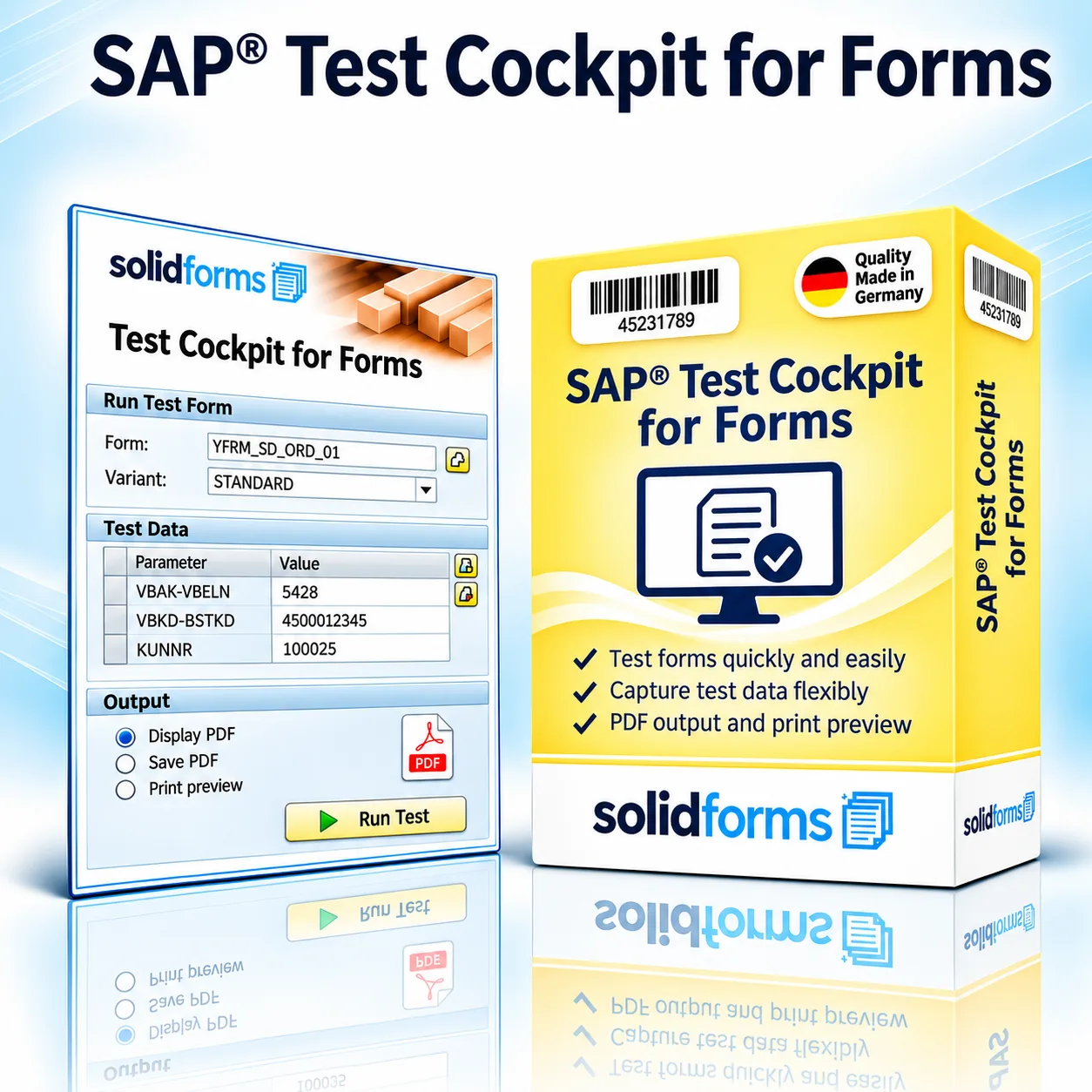
SAP® Add-on · Form Development & Quality Assurance
SAP® Form Testing Cockpit – Manage Test Cases and Verify Form Output
With the solidforms SAP® Form Testing Cockpit, you can organize recurring form tests centrally. Store document numbers, languages and other test parameters, rerun predefined test cases and compare form output after changes. This supports structured quality assurance when developing and maintaining SAP® Adobe Forms.
Your Benefits at a Glance
- Create and manage test cases for different forms centrally
- Reuse document numbers, languages and other test parameters
- Store and track multiple test variants and versions
- Review form output directly from the testing cockpit
- Simplify regression testing after form changes
Your Benefits
Test Form Changes in a Controlled Way
Reusable Test Cases
Keep typical business scenarios and special cases available for future testing.
Keep Track of Versions
Document and revisit multiple test versions for the same document.
Less Manual Effort
There is no need to reassemble test parameters for every test run.
In Daily Development Work
Turn Numerous Test Documents into a Structured Testing Process
Forms that vary by country, language, company code or layout can quickly generate a large number of test scenarios. The testing cockpit keeps these cases organized and ready to use. Form developers can reuse existing test data instead of searching for suitable documents after every change.

How It Works
Create and Run Test Cases, and Manage Versions
Define a Test Case
Record the form, document number, language and relevant input parameters.
Run the Form
Execute the configured print or form process using the selected test case.
Review the Output
Visually inspect the generated form and investigate any issues.
Save the Test Version
Keep test cases and versions available for future checks.
Practical Examples
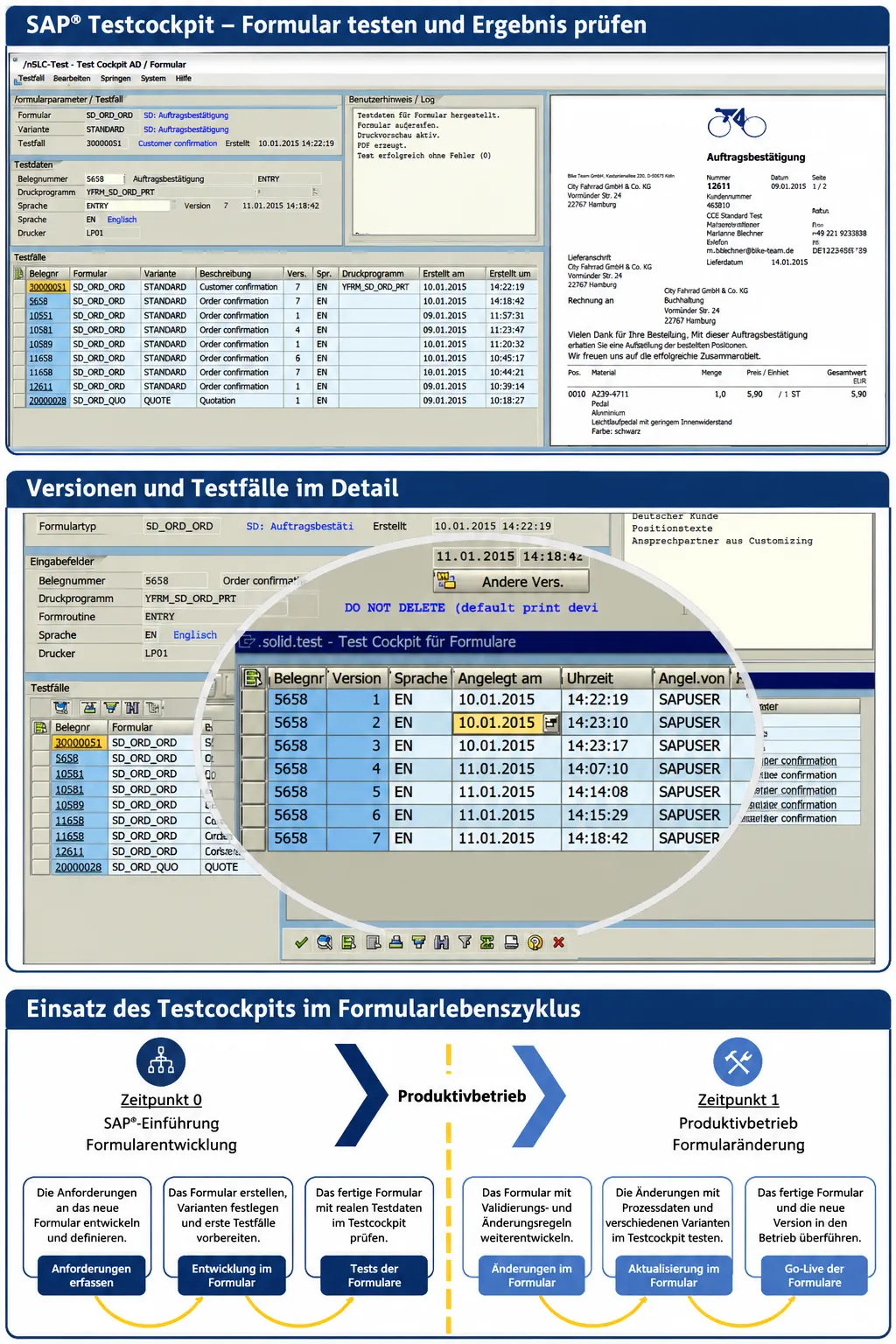
SAP® Testing Cockpit – Interface, Versions and Form Lifecycle
The feature overview illustrates the testing cockpit with test case data and a form preview, management of different test case versions, and its use during form rollout and subsequent changes. Click the image to view it at full size.
Applications
Quality Assurance Across Different Form Processes
SAP® SD · Sales
Test order confirmations, quotations and invoices using predefined documents.
SAP® MM / LE
Check purchase orders, delivery documents and other forms using repeatable test cases.
SAP® FI and Other Areas
Include complex financial forms and custom output processes in testing.
Change Management
Simplify Regression Testing for Form Changes
A revised logo, a new text rule or a change to line-item formatting may affect numerous variants. Existing test cases make it easier to recheck relevant scenarios after a change. The testing cockpit does not replace business approval, but it simplifies preparing and repeating tests.
Learn more about SAP® Form Development with Adobe Forms and solidFormkit.
Project Workflow
From Test Strategy to Productive Use
01 · Analysis
Identify forms, print programs, test parameters and relevant business variants.
02 · Setup
Connect the testing cockpit to the existing form architecture and agreed print processes.
03 · Testing & Handover
Set up test cases, review outputs and coordinate use within the development team.
Technical Implementation
Test Data and Form Output in One Cockpit
The add-on combines form and test case selection with the required input parameters and a form preview. The print programs, form routines and output channels that can be integrated depend on the existing SAP® implementation.
Technical Information
System Requirements and Scope of Delivery
| Item | Description |
|---|---|
| Product | SAP® Form Testing Cockpit – Add-on for Form Quality Assurance |
| Target Users | SAP® form developers, test managers and project teams |
| Form Technology | Primarily SAP® Interactive Forms by Adobe; other technologies subject to review |
| Test Case Data | Document number, form type, language and other process-dependent parameters |
| Version Management | Management of multiple test states or versions, depending on the implementation |
| Form Output | Execution and review of the integrated form output |
| SAP® Modules | For example, SD, MM, LE and FI, depending on the integrated print processes |
| SAP® S/4HANA | Compatibility and integration effort must be assessed based on release and architecture |
| Integration | Integration of existing print programs, routines and form interfaces |
| Scope of Delivery | Add-on and agreed setup/customization services as specified in the quotation |
Note: The exact functional scope, system requirements and integration of existing print programs are agreed upon before implementation. The images illustrate the functionality.
Frequently Asked Questions
Frequently Asked Questions About the SAP® Testing Cockpit
Can I Test Existing Documents More Than Once?
Yes. Stored test cases are designed to reuse predefined document and input parameters.
Can I Test Different Languages?
Yes, provided the relevant form process supports language as a test parameter.
Does the Cockpit Automatically Validate Form Content?
No. The cockpit supports test execution and organization; business and visual validation are still required.
Can I Integrate Existing Print Programs?
Integration may be possible depending on the interface and architecture and is assessed technically in advance.
SAP® Add-ons · solidforms
Want to Test Your SAP® Forms More Efficiently?
We assess your existing form landscape and show how reusable test cases and structured test management can be integrated into your development process.
Reviews
There are no reviews yet.