











SAP® Add-on · Document Management & Adobe Forms
SAP® DMS Plugin – Integrate Product Images Directly into SAP® Forms
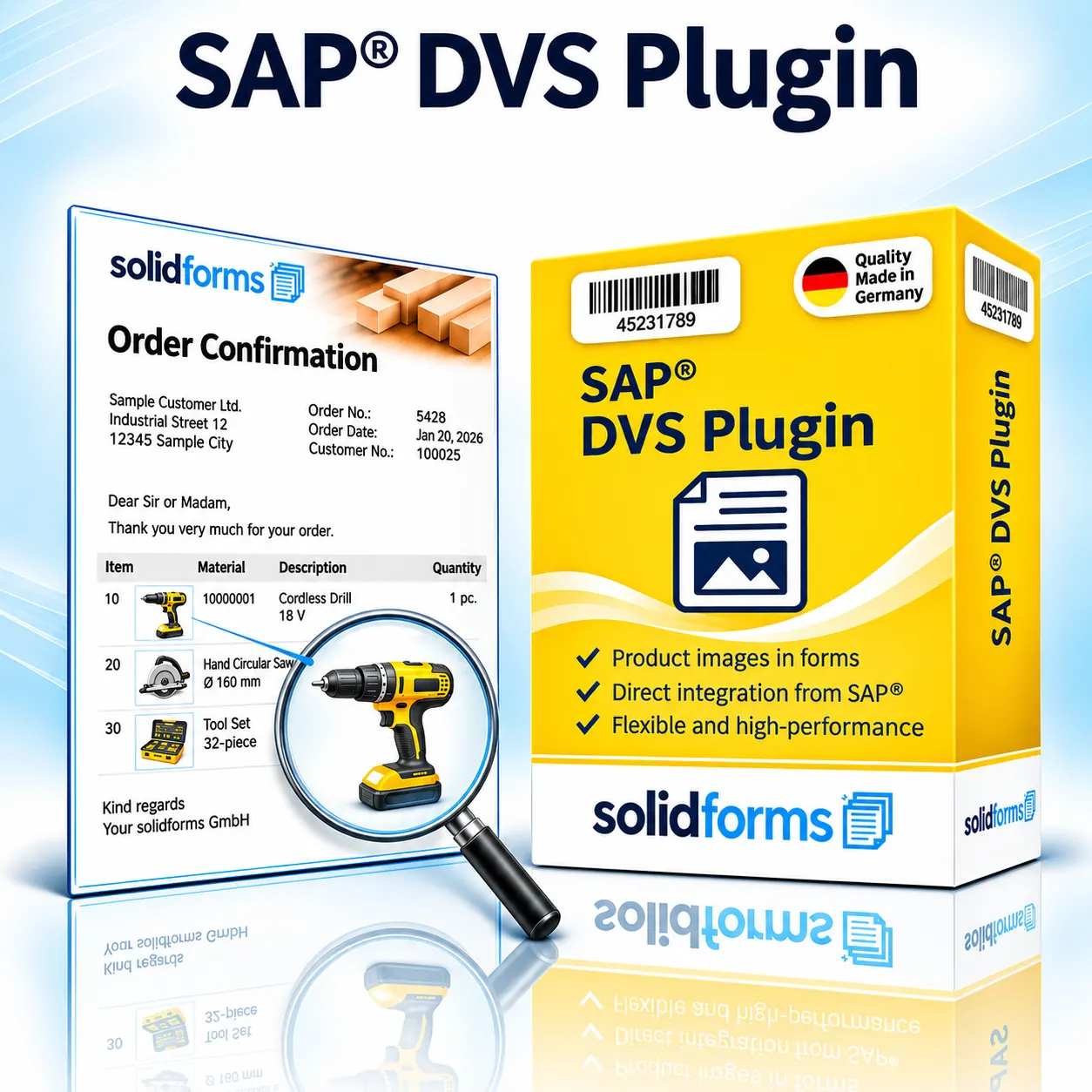
With the SAP® DMS Plugin from solidforms, you can integrate technical drawings, product images and other graphics from the SAP® Document Management System (DMS) into your SAP® Adobe Forms. For example, add relevant product images to order confirmations or technical drawings to production documents – without embedding the images permanently in the form layout.
Your Benefits at a Glance
- Use graphics from SAP® DMS in Adobe Forms
- Display material-related images and technical drawings in forms
- Manage image files centrally in the Document Management System
- Show images directly alongside the corresponding form line items
- Reduce manual maintenance and keep product images consistent
Your Benefits
Make Your Forms More Informative with Images
Product Images in the Right Place
Images can be assigned to the relevant material or sales order items.
Use Technical Drawings
Include engineering drawings and technical illustrations in suitable forms.
Centralized Image Management
Manage graphics in SAP® DMS instead of embedding them individually in every form.
In Business Processes
From Engineering to Order Confirmation
Engineering and product development teams create drawings and product graphics that can be stored in SAP® DMS and linked to materials. The DMS Plugin makes selected graphics available for form output, so they appear in the appropriate documents and line items.

How It Works
Automatically Display DMS Graphics in Form Line Items
Documents in SAP® DMS
Store graphics or drawings centrally as document originals.
Establish Material Links
Retrieve the relevant image using the agreed DMS document and material assignments.
Image in the Adobe Form
Display the retrieved image in the required form line item or document section.
PDF and Print
Generate forms with embedded images as PDFs and output them through the relevant business process.
Practical Examples
SAP® DMS Plugin – Examples and Feature Overview
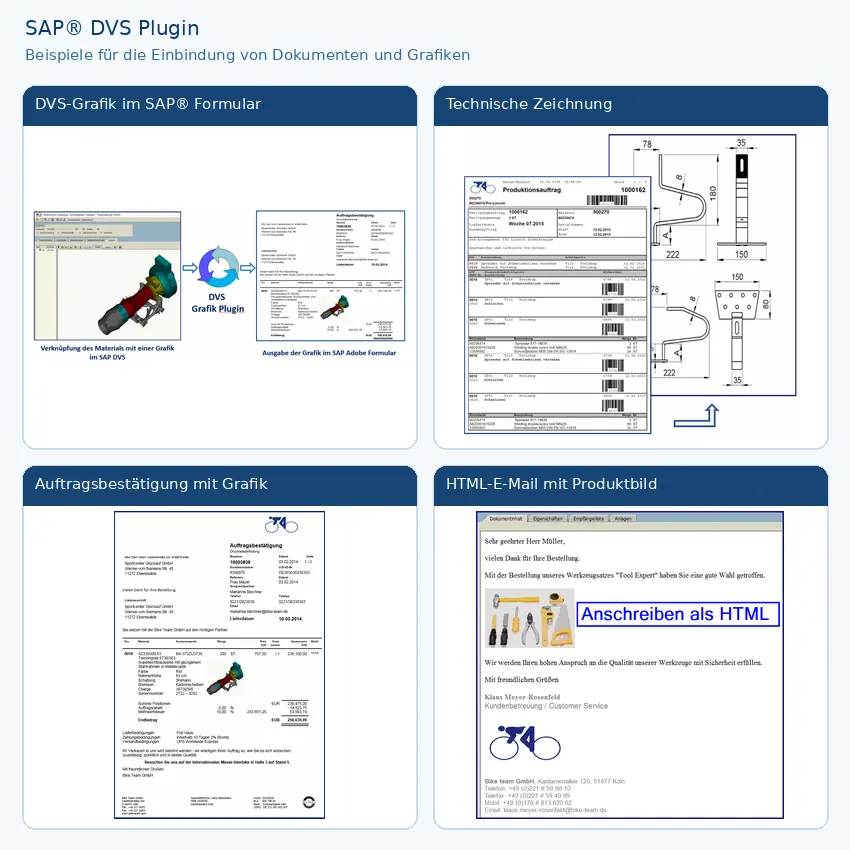
The feature overview illustrates how materials are linked to DMS graphics and how those graphics are used in Adobe Forms. Examples include an order confirmation with a product image and a production document with a technical drawing. Click the image to enlarge the examples.
Applications
Product Images and Drawings Across SAP® Processes
SAP® SD · Sales
Product images in quotations, order confirmations and other sales forms.
SAP® PP · Production
Technical drawings or component images in suitable production documents.
Other Forms
Integration into other Adobe Forms output processes after reviewing data retrieval and the print program.
Centralized Maintenance
Update Images Without Changing the Form Layout
Image files remain in the central Document Management System. When graphics or document assignments are updated in DMS, they can be reflected in newly generated forms, provided that the retrieval logic has been configured accordingly. This helps maintain consistent documents and reduces maintenance effort. SAP® Form Development with Adobe Forms and about solidFormkit.
Project Workflow
From DMS Graphic to Production-Ready Form
01 · Analysis
Review DMS document types, original file formats, material assignments, SAP® release and target forms.
02 · Integration
Integrate data retrieval and image delivery into the agreed Adobe Forms process.
03 · Testing
Test image quality, page breaks, print output and special cases using real business documents.
Technical Implementation
Providing Graphics from SAP® DMS to Adobe Forms
The add-on connects DMS document retrieval with data preparation for Adobe Forms. Whether and how graphics can be embedded depends on factors such as the original DMS file formats, document access and the specific form process.
Technical Information
System Requirements and Scope of Delivery
| Topic | Description |
|---|---|
| Product | SAP® DMS Plugin – Add-on for Integrating DMS Graphics |
| SAP® Modules | For example, SD and PP; other processes subject to technical review |
| Data Source | SAP® Document Management System (DMS) and agreed document/material assignments |
| Target Technology | SAP® Interactive Forms by Adobe |
| Graphic Content | Product images, technical drawings and other suitable image files |
| Output | PDF and print via the integrated form process |
| Image Formats | Support depends on the original DMS format, conversion and Adobe Forms processing |
| SAP® S/4HANA | Suitability depends on the system version, DMS configuration and form architecture; verification required in advance |
| Integration | Adaptation of data retrieval and the relevant form or print program |
| Scope of Delivery | Add-on and agreed integration/customization services as specified in the quote |
Note: Specific interfaces, document types, image formats and technical prerequisites are reviewed during project scoping. The example images illustrate possible use cases.
Frequently Asked Questions
Frequently Asked Questions About the SAP® DMS Plugin
Do I Have to Embed Images Permanently in the Adobe Form?
No. The add-on is designed to provide suitable graphics from SAP® DMS dynamically at runtime for form output.
Can I Display Different Images for Different Materials?
Yes, provided that the DMS assignments and retrieval logic are configured accordingly for the relevant process.
Are Technical Drawings Supported?
Yes, if the drawings can be provided in an image format suitable for Adobe Forms output.
Can I Use the Plugin with Existing Forms?
Integration is generally possible; any required changes to data retrieval and the form are assessed individually.
SAP® Add-ons · solidforms
Would You Like to Include Product Graphics from DMS in Your SAP® Forms?
Whether you need product images in order confirmations or technical drawings in production documents, we review your DMS structure and existing form output and prepare a tailored quote.
Reviews
There are no reviews yet.