







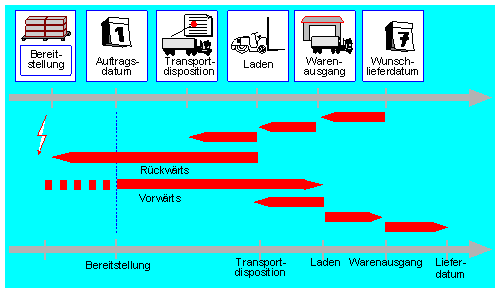
In the data transfer routine when creating deliveries for sales orders, the delivery split can be executed according to various criteria. However, it is not possible to realize a split by quantity, i. that a material may only be put into a delivery with a certain or maximum quantity.
Author: Torsten Thon
-
Printing barcodes in SAP
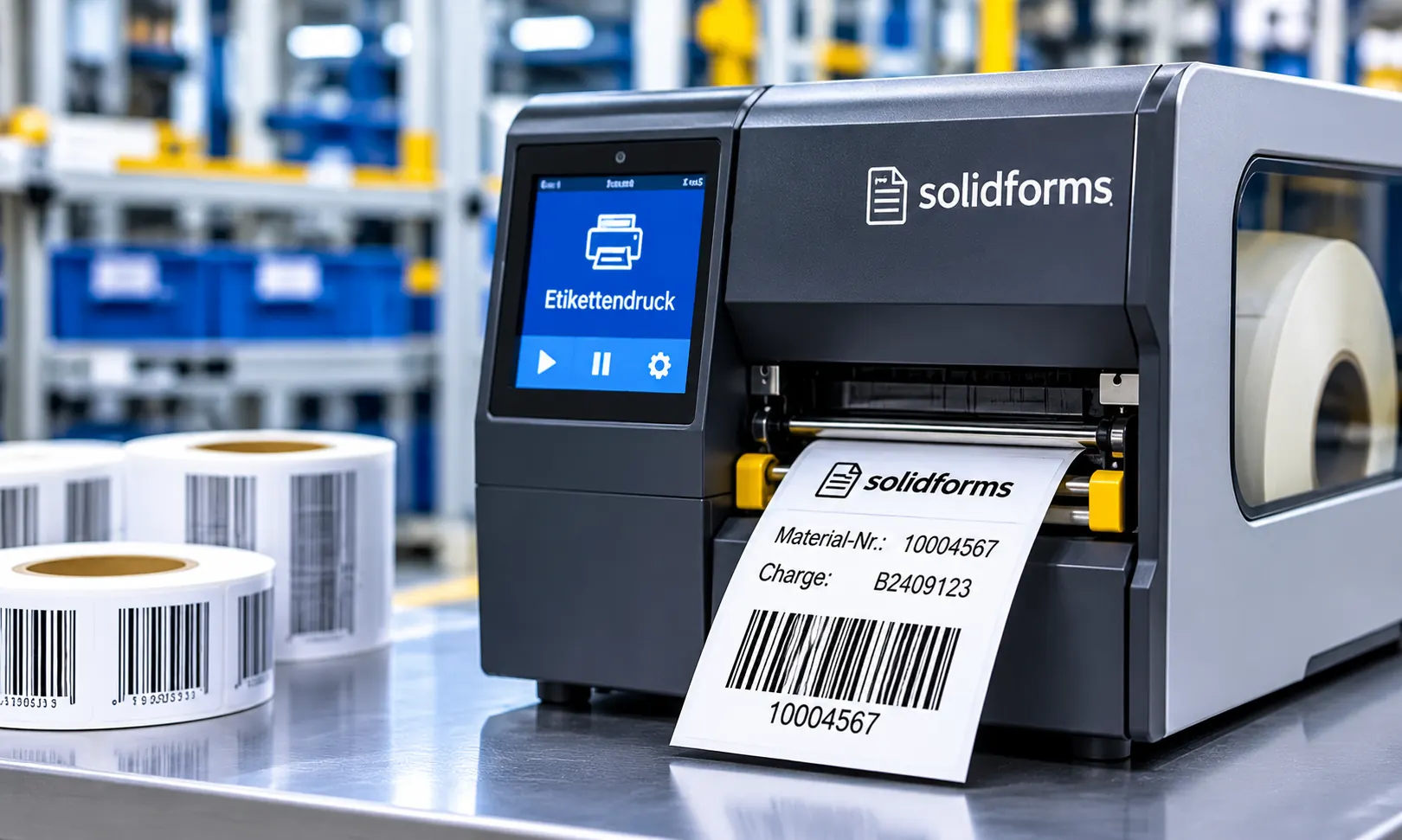
Printing of bar codes in SAP is not associated with any particular difficulties. In the device type definition of your printer, you can check which barcode types are supported. If you want to check whether your printer prints barcodes without other activities, call the standard text SAPSCRIPT-BARCODETEST with the ID ST and print the default text. If the standard text does not already exist, you must copy the standard text from the client 000 using Utilities -> Copy from client. If no barcodes are visible on the printout, then you have the following options for teaching your printer the barcodes.
-

The Software Development Process in SAP
The software development process definition is one of the most neglected jobs in the SAP Competence Center’s area of responsibility. This job ain’t done by hiring of a few developers, particularly when they aren’t employees, but external freelancers.
It’s like a soccer team: There are several different roles, which must been taken on and there is a coach, who defines the tactics. The interplay of functional consultants, developers, key users, system administrators and – yes! – quality managers is as important as that each of them wants to do the best work they can, work that they can be proud of.
-
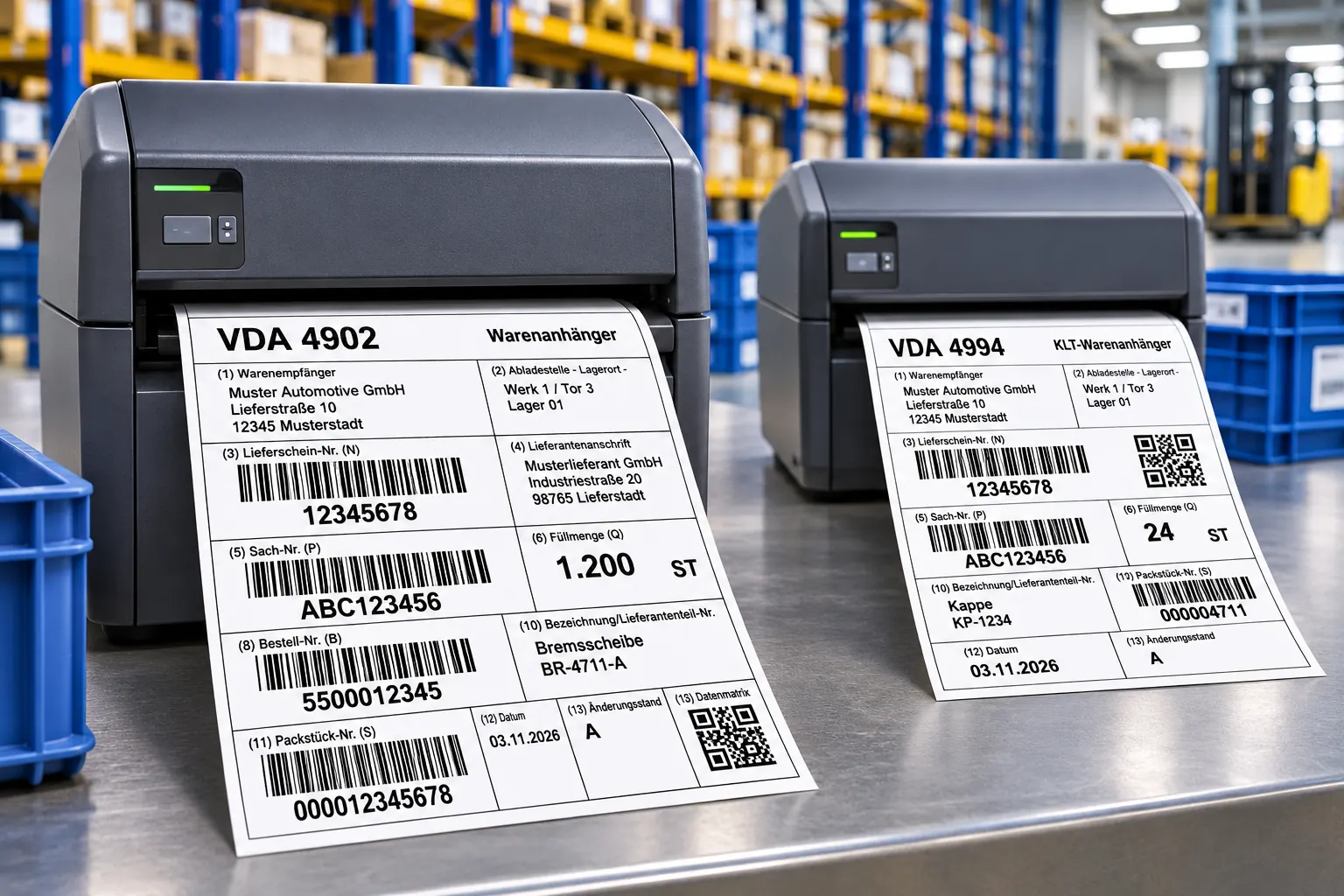
Create VDA label 4902 in SAP
SOLIDFORMS INSIGHTS · SAP® LABEL PRINTING · PRACTICAL KNOW-HOW
Generating VDA 4902 and VDA 4994 Shipping Labels in SAP®
Label formats, EDI data, Code 39 barcodes and seven packaging scenarios for small and large load carriers and pallets.
In automotive logistics, the information on shipping labels must match the packaging data transmitted electronically. This practical article explains how VDA shipping labels are structured in SAP®, which data is printed and how different packaging scenarios affect label output.
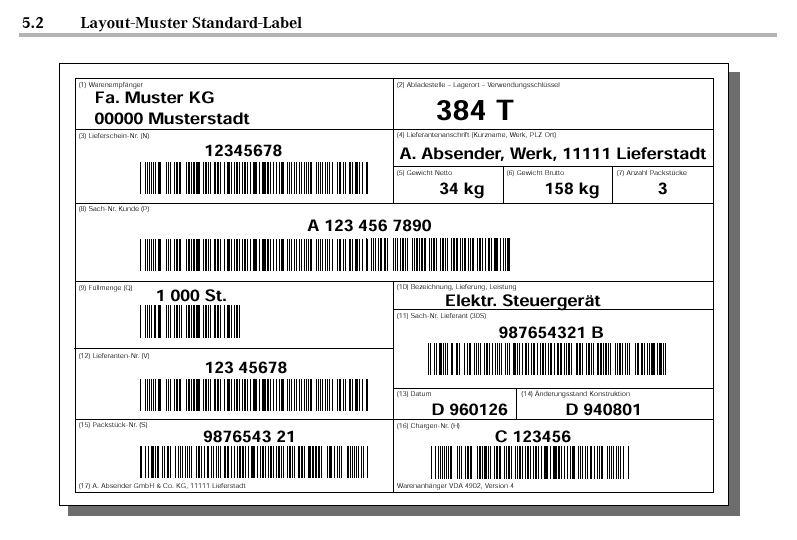
VDA 4902: example of a standard shipping label. 1. EDI Data and Printed Labels Must Match
Packaging data is transmitted to the automotive manufacturer via EDI in a defined structure. The recipient often specifies the packaging instructions in advance. The corresponding shipping labels are printed when the materials are physically packed.
Exact Character Matching Is Essential: If the packaging material type transmitted via EDI is, for example,006280the label must not simply show6280instead. Leading zeros and relevant spaces must be preserved in both human-readable text and barcodes.Labels are created for actual packaging units such as small load carriers (KLT), large load carriers (GLT) and pallets. In the process described here, packaging aids such as inserts or lids do not receive separate labels.
2. Label Formats: Standard and KLT Labels
Label Format and Use Standard label DIN A5; used for large load carriers and pallets, for example attached with adhesive dots. KLT label Half of DIN A5; for example, print on centrally perforated A5 card, fold and insert into the designated slots of the KLT. 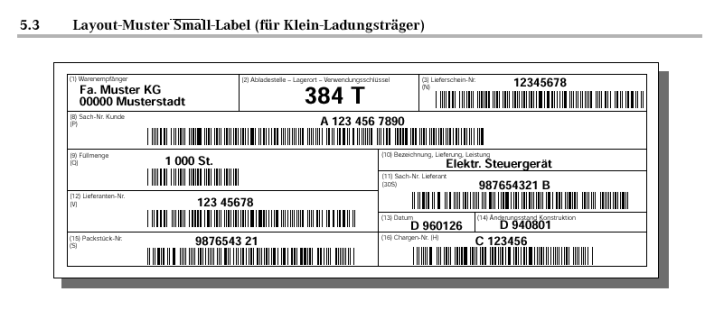
VDA 4902: compact label for small load carriers. 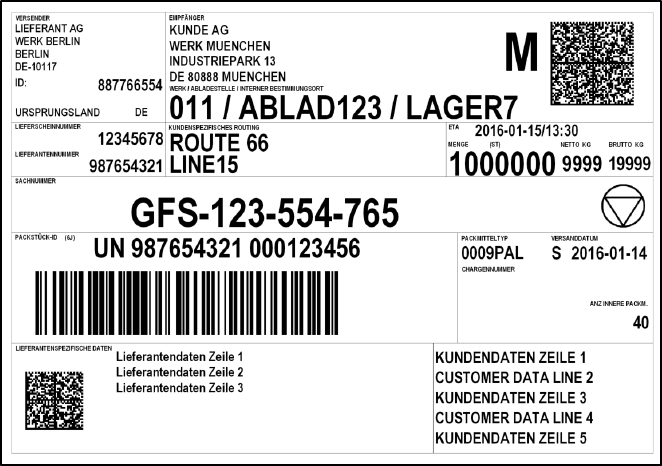
VDA 4994: standard shipping label. 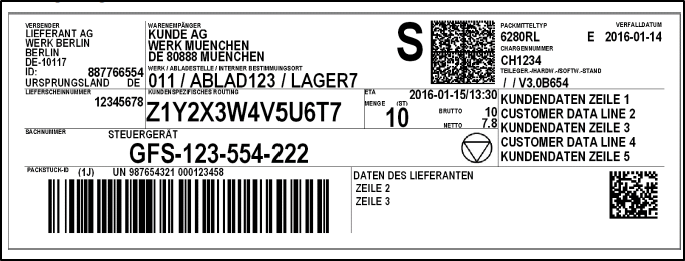
VDA 4994: label for small load carriers. VDA 4902 and VDA 4994 shipping labels are generally standardized. However, individual field assignments may differ between automotive manufacturers: in the original example, VW uses one field for the packaging material type, while Mercedes-Benz uses it for the supplier’s part number.
3. What Data Appears on a VDA 4902 Shipping Label?
The label data should match the information transmitted via EDI. In the procedure described here, barcode fields receive a leading identifier so that the field type can be recognized during scanning.
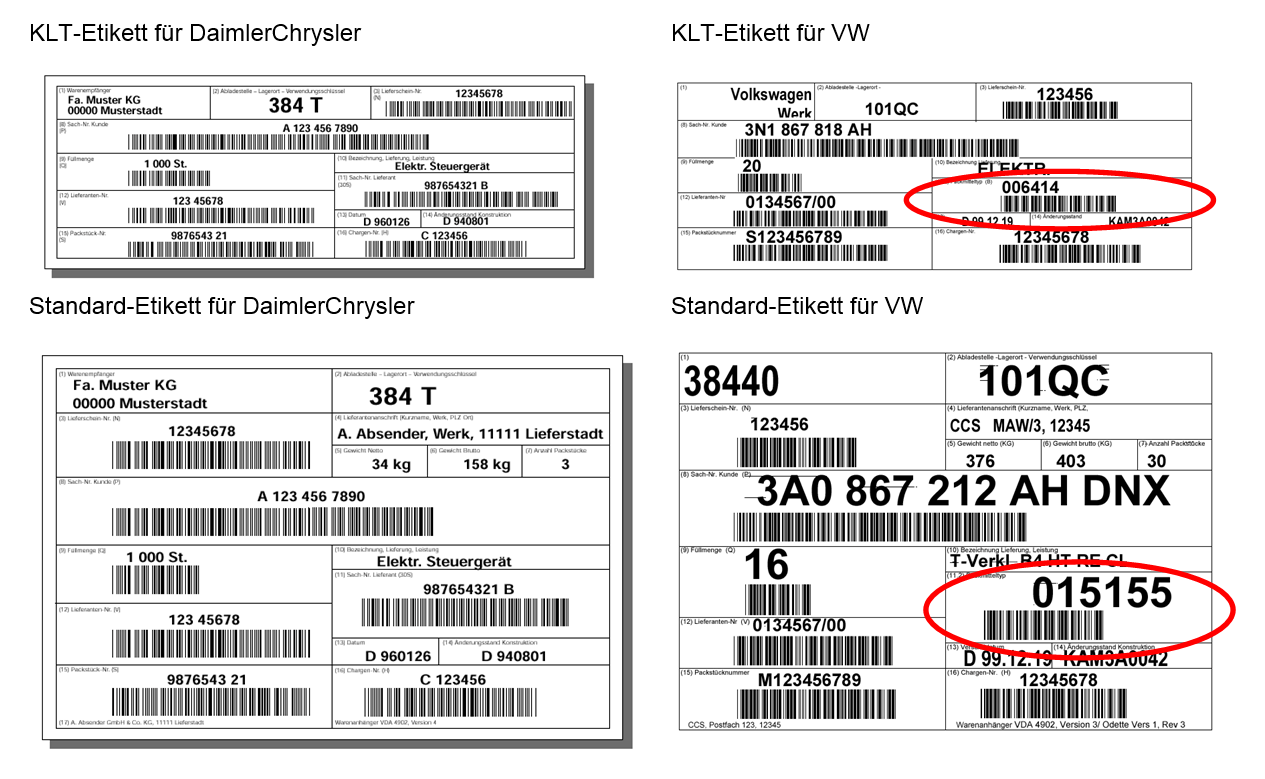
Comparison: differences in the layout and field assignments of VDA 4902 labels. Field Data Source Notes / Barcode Goods recipient Goods recipient’s address Automotive manufacturer’s plant according to the delivery schedule Unloading point Unloading point from the delivery Header data / transport-related information Delivery note Delivery number Barcode prefix N Supplier address Name of the shipping point Net weight Net weight of the handling unit Gross weight Gross weight of the handling unit Number of packages Packaging structure S: number of identical packages without inner packages; M: identical inner packages; G: mixed inner packages Customer part number Customer material number Barcode prefix P; for mixed shipments, print “MIXED SHIPMENT” as human-readable text, without the corresponding barcode Quantity per package Shipping unit quantity Barcode prefix Q; for the M/G scenarios described, quantity 0 in the barcode and no human-readable quantity Supplier number Supplier number assigned by the customer (sold-to party partner role AG) Barcode prefix V Package number External HU number VEKP-EXIDVBarcode prefix S for single-material packages or G for mixed packages Delivery description Material short text from the delivery item Do not print for mixed shipments Packaging material type Customer packaging material from the HU header Barcode prefix B Date Goods issue date Engineering revision level VWAHN-AESKDBatch number Batch from the delivery item Barcode prefix H; only if required by the technical delivery conditions 4. Barcode Type and Package Identifiers
The barcodes described in the original article use Code 39 . For these packaging scenarios, the package identifiers S, M and G are particularly relevant.
Note: The following identifiers and printing rules describe the implementation documented in the original article. Customer-specific and manufacturer-specific requirements must be verified for each project.5. Seven Packaging Scenarios and Their Labels
Case 1: Single-Material KLT
Each KLT contains only one material. One KLT label is printed.
- The customer part number and material description are printed.
- Quantity: amount contained in the KLT.
- Package number with identifier S.
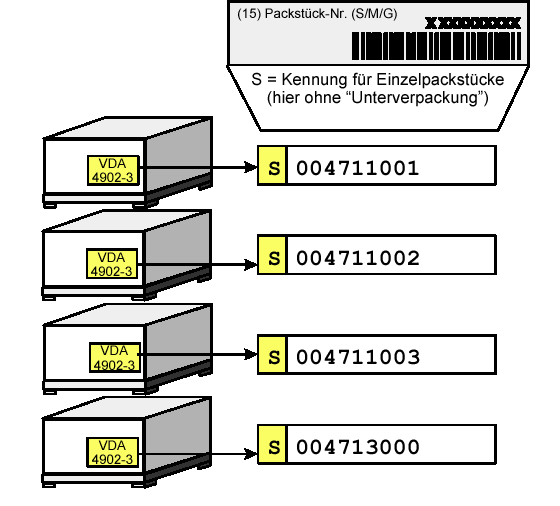
Packaging example 1: schematic illustration of label output. Case 2: Mixed-Material KLT
One KLT contains at least two different materials. One KLT label is printed.
- Customer part number shown as MIXED SHIPMENT in human-readable text; no material-number barcode.
- No quantity or material description.
- Package number with identifier G.
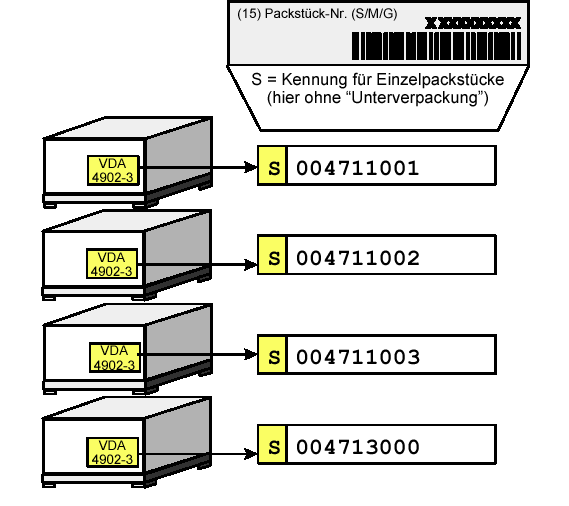
Packaging example 2: schematic illustration of label output. Case 3: Single-Material GLT
Each GLT contains only one material. One standard label is printed.
- The customer part number and material description are printed.
- Quantity: amount contained in the GLT.
- Package number with identifier S.
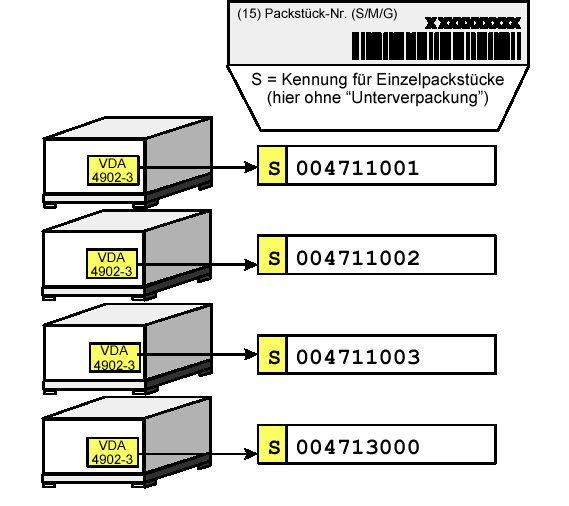
Packaging example 3: schematic illustration of label output. Case 4: Mixed-Material GLT with Master and Child Labels
One GLT contains multiple materials. In the scenario described, two materials require one master label and two child labels.
- Master label: MIXED SHIPMENT, no material-number barcodes, quantity or description; package identifier G.
- Child label: Customer part number, material quantity in the HU and material description; package identifier S.
- According to the original scenario, master and child labels carry the same package number.
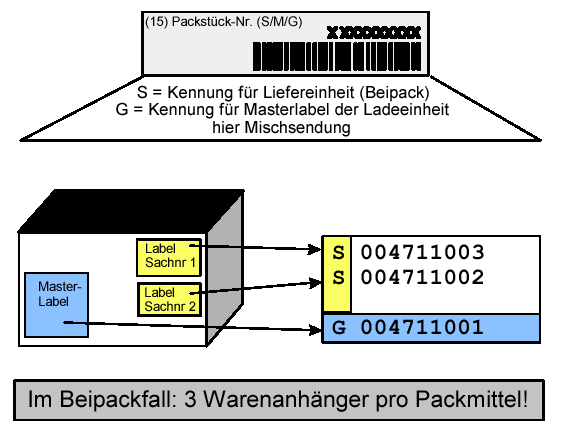
Packaging example 4: schematic illustration of label output. Case 5: One Single-Material Delivery Item in Multiple KLTs on a Pallet
Example: one delivery item is distributed across four KLTs on a pallet containing only that material.
- KLT labels: Customer part number, quantity and description; package identifier S.
- Pallet label: Customer part number, quantity and description; package identifier M.
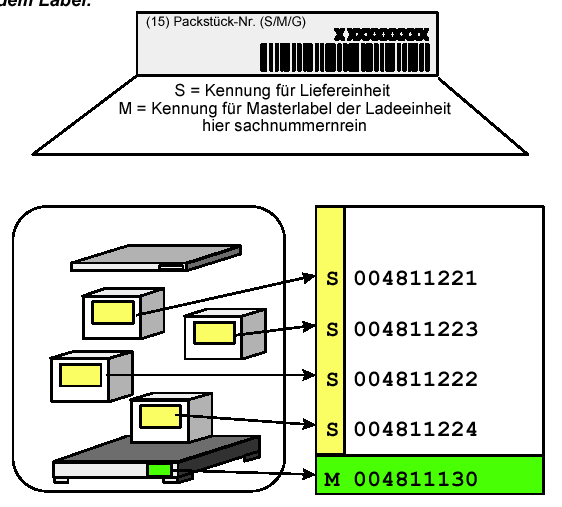
Packaging example 5: schematic illustration of label output. Case 6: Multiple Single-Material KLTs with Different Materials on One Pallet
Each individual KLT contains only one material, but the pallet as a whole contains different materials.
- KLT labels: Customer part number, quantity and description; package identifier S.
- Pallet label: MIXED SHIPMENT, no material-number barcodes, quantity or description; package identifier G.
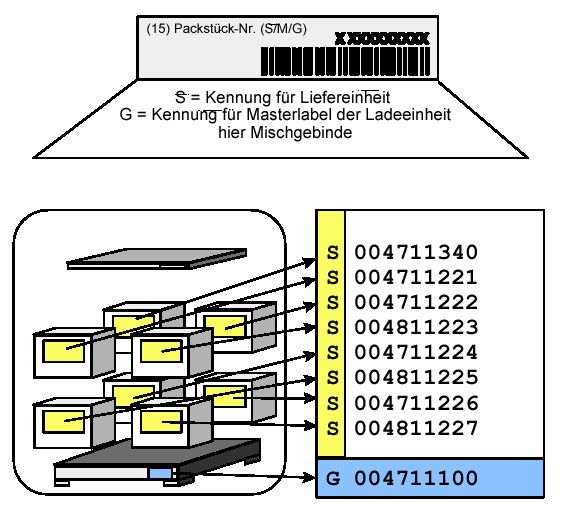
Packaging example 6: schematic illustration of label output. Case 7: Mixed-Material and Single-Material KLTs on One Pallet
Example: one KLT contains a single material, while three others each contain multiple materials. The pallet is also mixed.
- Single-material KLT: Customer part number, quantity, description; package identifier S.
- Mixed-material KLTs: MIXED SHIPMENT, no material-number barcodes, quantity or description; package identifier G.
- Pallet: MIXED SHIPMENT, no material-number barcodes, quantity or description; package identifier G.
6. Initial Printing and Reprinting in SAP®
Initial print: In the classic SAP® process described here, printing is initiated manually via transaction
VL74using the delivery number.Reprint: Reprinting is performed via
VL74or from the delivery via Packing/Loading → Shipping Unit Messages. On the selection screen, enter the delivery number and select processing mode2. You can then select the shipping units belonging to the delivery and print the labels again.System dependency: These printing procedures refer to the classic message processing described in the original article. Output and printing processes may be configured differently in SAP S/4HANA, especially in EWM.7. Implementing VDA Shipping Labels with SAP® Adobe Forms
In addition to layout design, the key factors in implementing the forms are data retrieval from deliveries and handling units, packaging hierarchies, customer requirements and reliable barcode encoding. Learn more about SAP® Label Printing and Label Management.
Reliable VDA Shipping Label Printing in SAP®
solidforms supports Adobe Forms development, the integration of delivery and handling-unit data, and the design of a maintainable label printing and forms strategy.
Contact solidforms · Explore Label Printing & Label Management
RELATED PRODUCT IN THE SOLIDFORMS CATALOG
SAP® Form: VDA 4902 / 4994 Shipping Labels
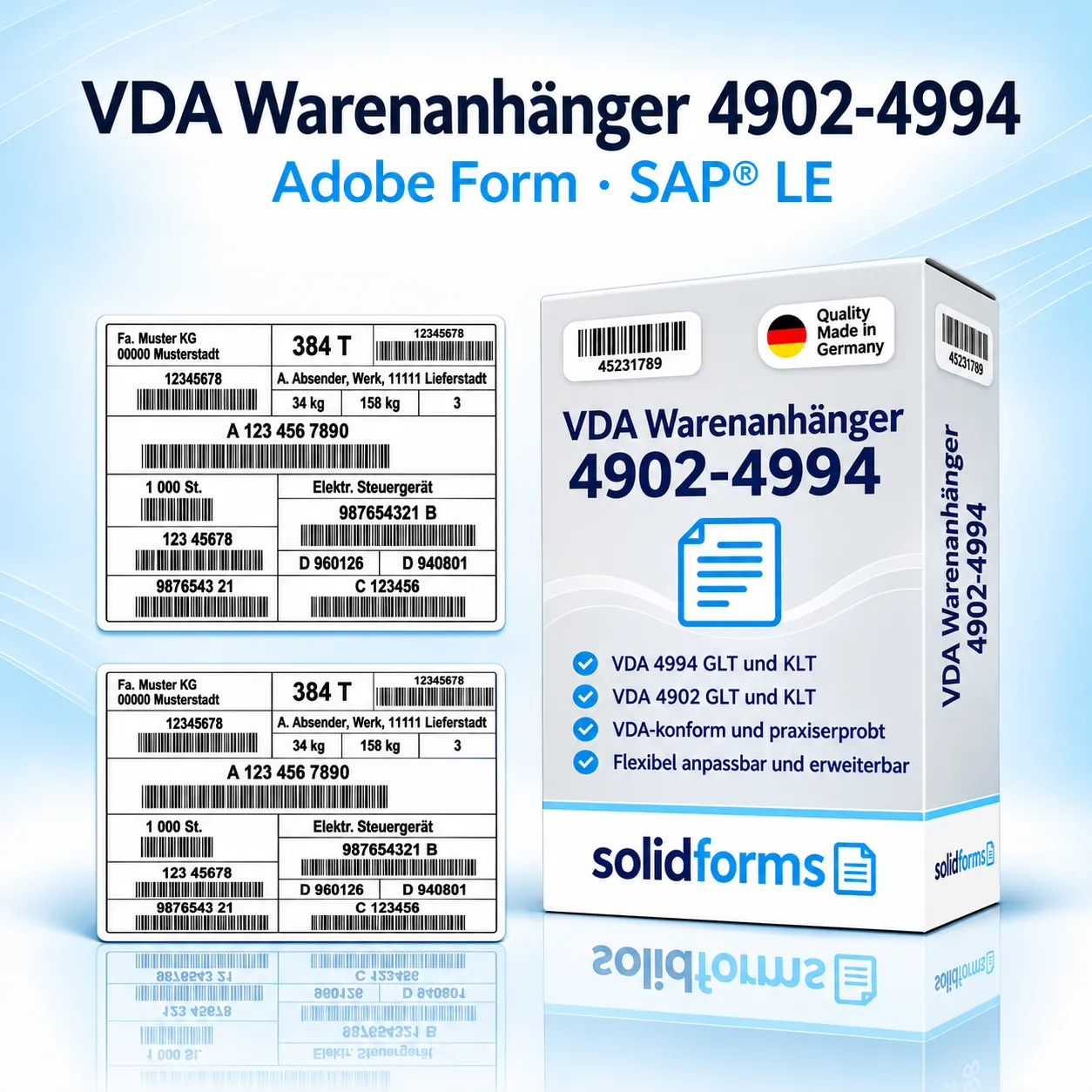
VDA shipping labels for SAP®: a practical starting point for standardized labels and the integration of packaging processes.
Background: Revised and restructured version of the solidforms blog post originally published on November 12, 2015. The printing rules and transactions described must be verified for the specific application and customer.
-

Seven golden rules for a successful SAP project
- Engage the best consultants
- Let the fingers of a fixed-price project
- Set a realistic Go Live date
- Control your project with an effective task management software (JIRA!)
- Provide suitable project spaces with appropriate technical equipment
- See developers as an important part of the project team
- Do not overestimate yourself – do not dare the big throw with all SAP products (APO, EWM, GTS, …)
-

Filling the LZB flag in the Idoc input INVOIC
In certain cases, it is necessary to set the LZB indicator in the IDoc input INVOIC.
The LZB indicator is a mandatory field. The LZB indicator can be filled in userexit EXIT_SAPLIEDI_102 (extension FEDI0001).
The following is an example of coding:
-

Tutorial Adobe Scripting (2): Dynamic determination of the font height in an SAP Adobe form
[av_textblock size=” font_color=” color=”]
In an SAP Adobe Forms form, the content of a field is to be displayed at a certain font height. However, it can be that the variable exceeds the size of the field when a certain number of characters are exceeded. In this case, the font height should be reduced.In the following a workaround is presented, how this can be achieved.
-

Creating a Tax Indicator Export to SAP Sales Documents
The content of many fields in the document, the logic of many fields and texts in forms, and also follow-on actions depend on whether the transaction is internal or has been exported abroad in SAP sales documents (order-delivery – billing document).
The following case distinction must often be made:
-
Increase your sales and profit with Barter
[av_textblock size=” font_color=” color=”]
Shorter product life cycles, more aggressive competition and unforeseen demand fluctuations demand more than ever before to react quickly and flexibly to market changes. On a trip to the USA, I became aware of “Barter”. The Internet and electronic marketplaces make it possible for many small and medium-sized companies to trade and settle their goods and services through “barter exchanges” using their own currencies. They open up new markets so cheaply and realize liquidity advantages. In the following, I would like to explain how Barter works with a practical example. -

Tutorial Adobe Scripting (3): Calculation of subtotals and carry over per page in SAP Adobe Forms
[av_textblock size=” font_color=” color=”]
If an SAP invoice has several pages, the sum of all the positions of the current page at the end of a page should be displayed. It is the classical demand for a representation of the carry over on a bill.Example
We have an invoice with 3 pages.