











WooCommerce product description: paste into the code editor or a Custom HTML block.
SAP® FI · Adobe Form
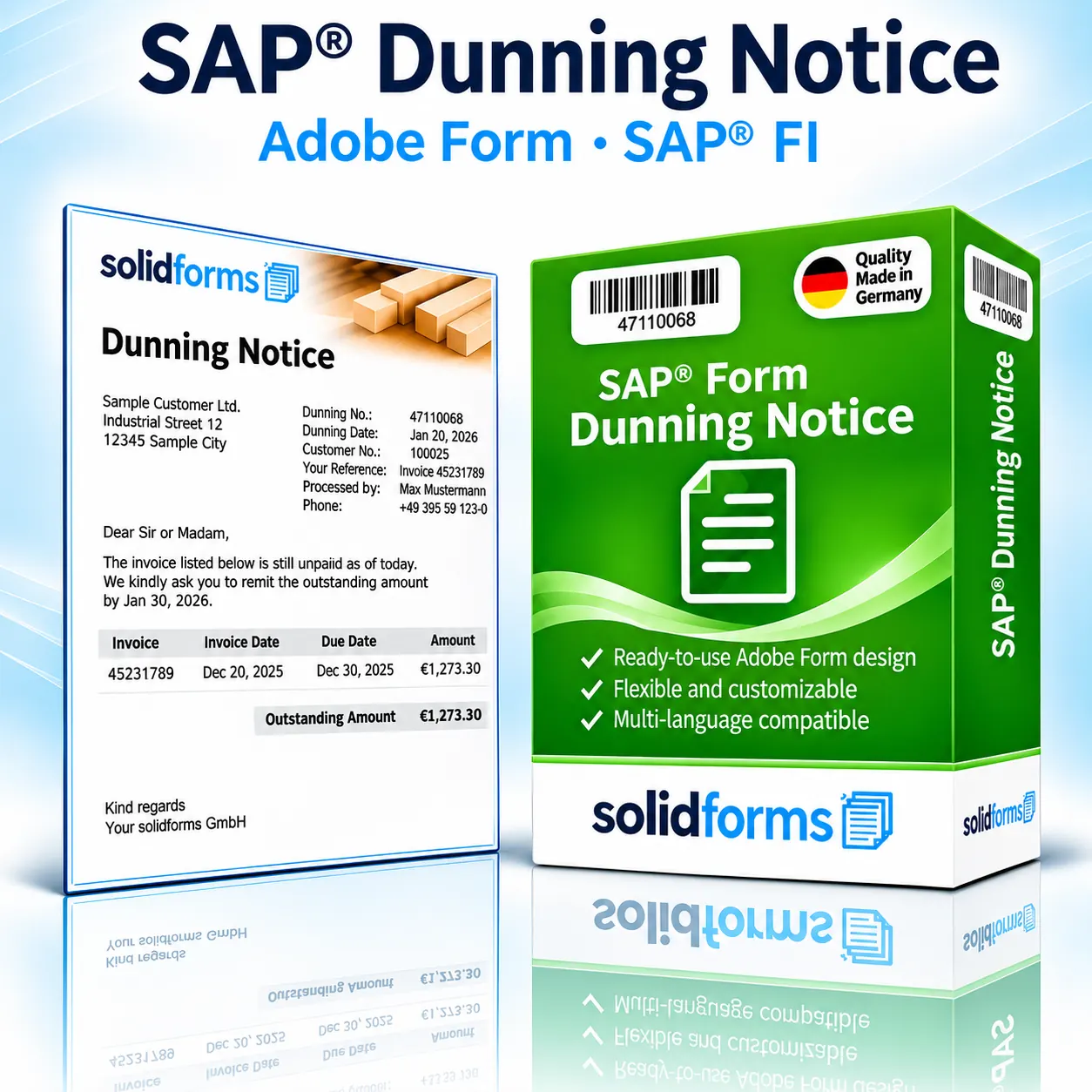
SAP® Dunning Notice Form
Professional payment reminders directly from SAP® FI: clearly presented outstanding items, customized reminder texts and a consistent appearance for your customer communications. The Adobe Forms layout can be adapted to your corporate design and dunning processes.
The form at a glance
- Dunning details, customer, contact person and outstanding invoice items
- Overview of due dates, dunning levels and, where applicable, interest
- Customized dunning texts, logo, sender details and multilingual layout as agreed
Your benefits
A dunning form tailored to your receivables management
Professional appearance
A clearly structured dunning notice with an easy-to-read list of outstanding items and consistent corporate branding.
Customizable
Dunning texts, sender details, logos and additional information can be designed to meet your requirements.
Suitable for international use
Language-specific texts and country-specific requirements can be considered during implementation.
In your business process
From an outstanding item to a dunning notice
In SAP® dunning, outstanding receivables are processed according to the configured dunning procedures and levels. The dunning data prepared for output is passed to the print program or form interface and generated as a PDF-based dunning notice using Adobe Forms. Find out more about SAP® form development with Adobe Forms.

Dunning processes
Tailored to your dunning procedures
Dunning levels and texts
Different dunning levels can use appropriate wording and notices, provided this is supported by the dunning procedure and form logic.
Outstanding items and due dates
A clear table can display invoice references, amounts, due dates, days overdue and dunning levels.
Interest and additional information
Existing interest information or additional notices can be included in the output as agreed.
Company codes and languages
A coordinated layout concept reduces unnecessary form variants for different company codes and language versions.
The product
What your SAP® dunning notice can look like
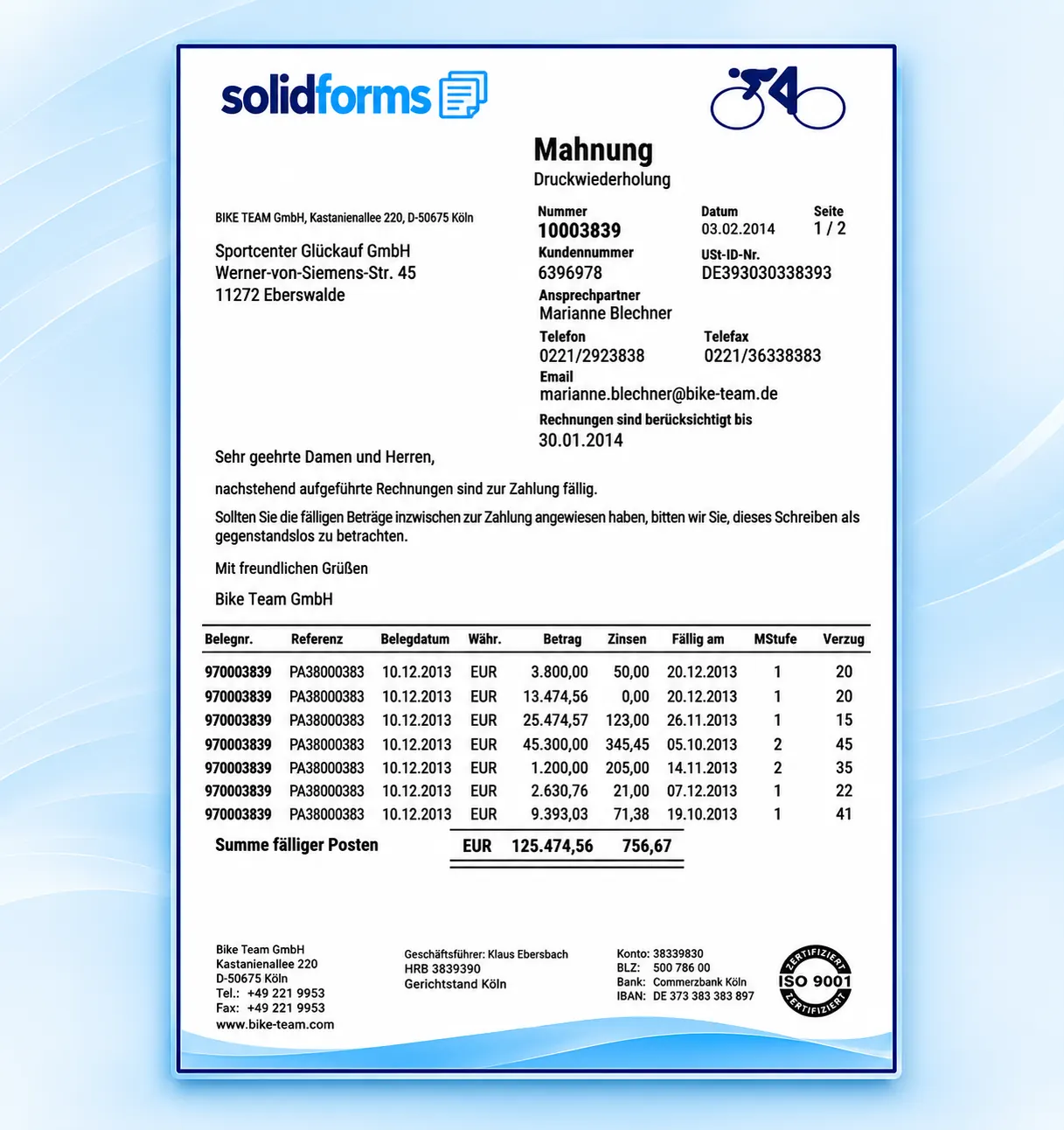
The sample form shows the dunning header details, address, reminder text and a table of overdue items with amounts and interest. Click the image to enlarge the form preview.
Typical form content
Dunning date, dunning number, customer number, dunning level, outstanding documents, due dates, amounts and payment information.
Custom design
Company logo, dunning texts, bank details, additional fields and legal notices can be incorporated as agreed.
Form configuration
Fewer form variants through a well-designed architecture
Sender details and company code
Different companies can be accommodated with the appropriate logos, sender details and bank information.
Languages and dunning texts
Language-dependent labels and dunning-specific texts can be controlled according to the chosen technical concept.
With solidFormkit suitable texts and layout parameters can be maintained centrally. For international company structures, we recommend a coordinated SAP® rollout and form strategy.
Implementation process
From form product to productive use
Review requirements
We clarify the SAP® release, dunning procedures, company codes, languages and output channels.
Installation and configuration
The form, interface, customizing and output control are configured according to the agreed scope.
Testing and approval
Relevant dunning levels, document scenarios and language variants are tested before going live.
Form output
Output from SAP® dunning
Depending on the SAP® version and configuration, the dunning notice can be printed, provided as a PDF or sent by email. The specific integration depends on your existing dunning and output architecture.
Technical information
System requirements and scope of delivery
| Topic | Description |
|---|---|
| SAP® module | Financial Accounting / Accounts Receivable (FI-AR), dunning |
| Form technology | SAP® Interactive Forms by Adobe (PDF-based print form) |
| System requirements | Suitable SAP® system environment and Adobe Document Services (ADS); compatibility with your specific release is checked in advance. |
| Supported content | Dunning data, outstanding items, due dates, dunning levels, texts and, where applicable, interest information as agreed |
| Languages | Language versions and scope of translation to be agreed |
| Scope of delivery | Adobe form and the necessary technical integration components according to the agreed product scope |
| Output | Print, PDF, email and, where applicable, other channels depending on the system and configuration |
| Installation | By agreement; scope and fees are specified in the quotation |
| Custom modifications | Available on request for an additional fee |
| Licensing / maintenance | Terms and any required SAP® licenses must be clarified before placing an order |
Integration of the dunning form depends on your SAP® release, the dunning program used and output control. Suitability for your specific SAP® S/4HANA environment is verified before any binding commitment.
Frequently asked questions
What customers want to know before requesting a quote
Can I use my company logo?
Yes. The dunning form can be adapted to your corporate design.
Can I display different dunning levels?
Yes. Appropriate text and layout control can be implemented as part of the project.
Can I maintain dunning texts myself?
Maintainable text control is possible depending on the technical architecture and agreed scope of delivery.
SAP® form development · solidforms
Would you like to give your dunning notices a professional design?
Whether you need customized dunning texts, international company structures or special output rules, we review your requirements and prepare a suitable quotation.
Reviews
There are no reviews yet.