











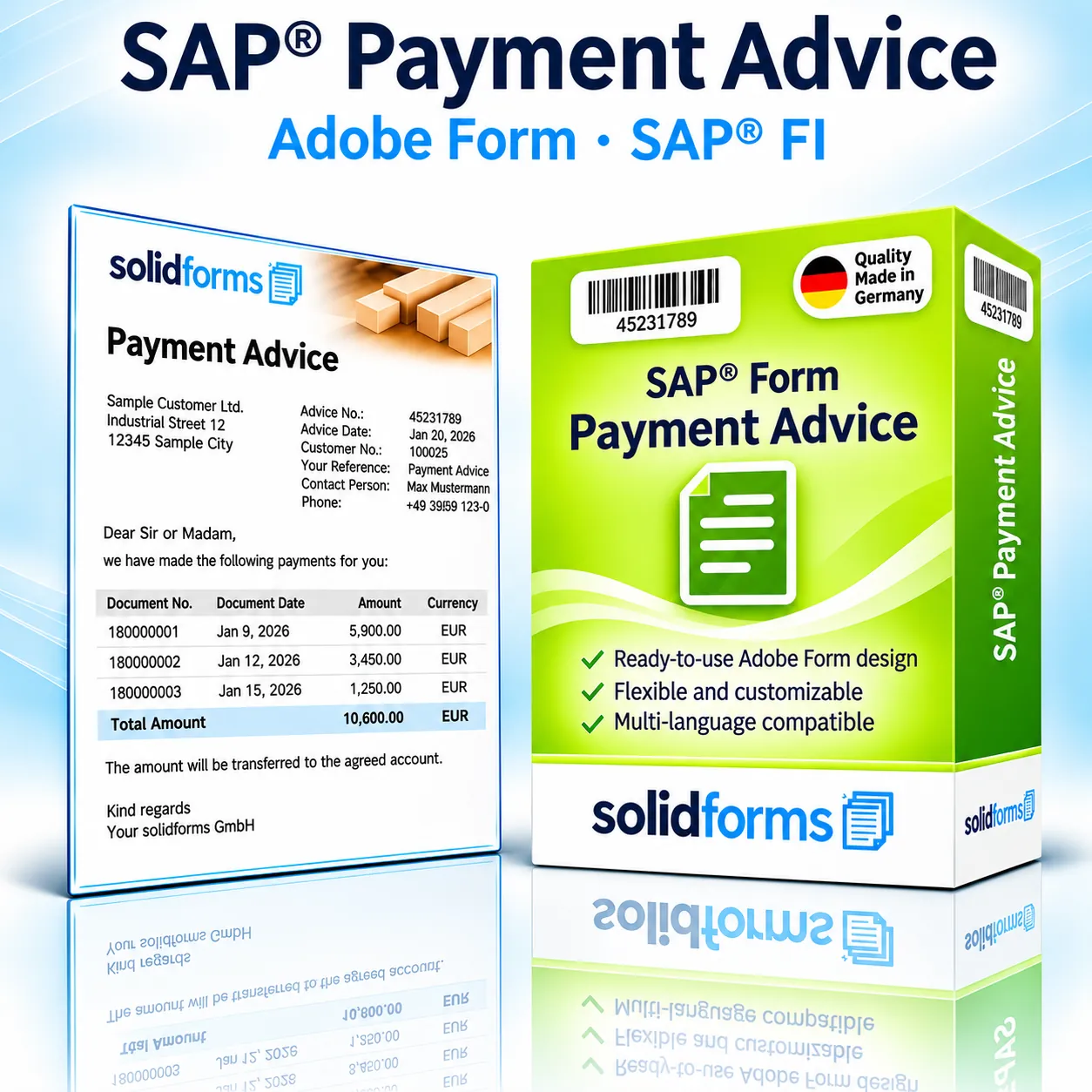
SAP® FI · Adobe Forms
SAP® Payment Advice – Clear Payment Information for Your Business Partners
The SAP® Payment Advice form provides your business partners with a clear overview of completed payments and the corresponding invoice items. This PDF-based Adobe Form presents document references, payment amounts and any cash discounts in a professional A4 layout.
Your Benefits at a Glance
- Clear list of documents settled by a payment
- Transparent display of invoice references, cash discounts and payment amounts
- Customizable layout with company logo and sender details
- PDF output based on SAP® Adobe Forms
Your Benefits
Communicate Payments Clearly and Transparently
Clear Document Allocation
Recipients can easily identify which invoices a payment relates to.
Cash Discounts and Payment Amounts
Gross amounts, cash discounts and actual payment amounts are clearly presented.
Consistent Appearance
A professional form layout supports consistent financial communication across companies.
In Your Business Process
Payment Advice from SAP® Financial Accounting
The payment advice accompanies payment processing in SAP® FI and informs recipients about the open items included in the payment. We coordinate the specific integration into your payment process, the print program and output control with your SAP® system landscape.

Form Features
All Essential Payment Information in One Form
Document Overview
Document number, reference, document date and currency for each settled item.
Payment Amounts
Gross amount, cash discount, payment amount and total in a clear table.
Payment Reference
Payment document details and payment date for easy reconciliation.
Custom Texts
Salutation, accompanying text, contact person and sender details as agreed.
The Product
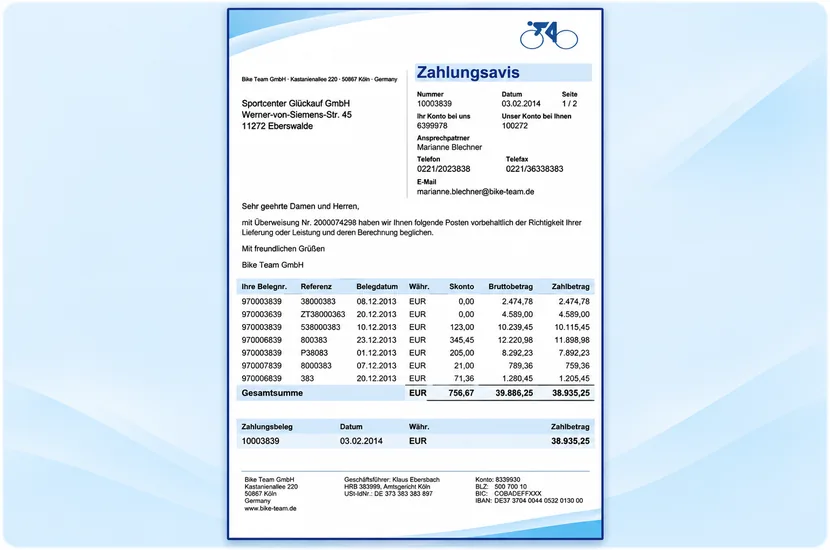
Preview of the SAP® Payment Advice Form
The sample shows a single-page A4 payment advice with a clear document table and payment summary. Click the image to enlarge it.
Form Configuration
Custom Design and Centralized Maintenance
Corporate Design
Logo, colors, sender information and footer can be adapted to your company.
Multiple Company Codes
A shared form strategy can accommodate different companies and layout requirements.
For advanced form control and translations, solidFormkit can be used. Learn more about SAP® Form Development.
Implementation Process
From Sample Form to Production-Ready Payment Advice
01 · Requirements
We clarify the SAP® release, payment process, company codes, languages and output channels.
02 · Integration
The form, data retrieval and customizing are set up according to the agreed scope of services.
03 · Testing and Approval
We test document allocation, cash discounts, totals, layout and relevant output variants.
Output
PDF, Print and Electronic Delivery
The payment advice is generated as an Adobe Form. Availability of printing, PDF delivery or email depends on your configured SAP® output management. Technical integration is agreed before implementation.
Technical Information
System Requirements and Scope of Delivery
| Topic | Description |
|---|---|
| SAP® Module | Financial Accounting (FI), Payment Processing |
| Form Type | Payment Advice / Payment Notification |
| Form Technology | SAP® Interactive Forms by Adobe (PDF-based print form) |
| Format | A4 |
| Typical Data | Payment document, payment date, invoice references, document date, currency, cash discount and payment amount |
| Layout | Customizable logo, sender details, header, footer and table layout |
| Languages | Languages and translations as individually agreed |
| Output | Print, PDF or email depending on the system and output configuration |
| System Requirements | SAP® release, Adobe Document Services (ADS) and specific FI integration to be checked in advance |
| Scope of Delivery | Form and required integration components as specified in the quotation |
| Customization / Installation | By agreement; additional charges may apply |
Note: Compatibility with your specific SAP® ECC or S/4HANA environment and the exact scope of delivery are verified before placing an order.
Frequently Asked Questions
Frequently Asked Questions about SAP® Payment Advice
Which Documents Appear on the Payment Advice?
The documents included in the payment process and their payment amounts, based on the retrieved data.
Can My Company Logo Be Included?
Yes. The logo and layout can be adapted to your corporate design.
Are Cash Discounts Displayed?
The sample form includes cash discounts, gross amounts and payment amounts.
Can the Form Be Sent by Email?
Email output can be implemented depending on the system and technical configuration.
SAP® Form Development · solidforms
Would You Like to Customize Your SAP® Payment Advice Form?
Whether you need a custom layout, multiple company codes or specific payment information, we assess your requirements and prepare a tailored quotation.
Reviews
There are no reviews yet.